
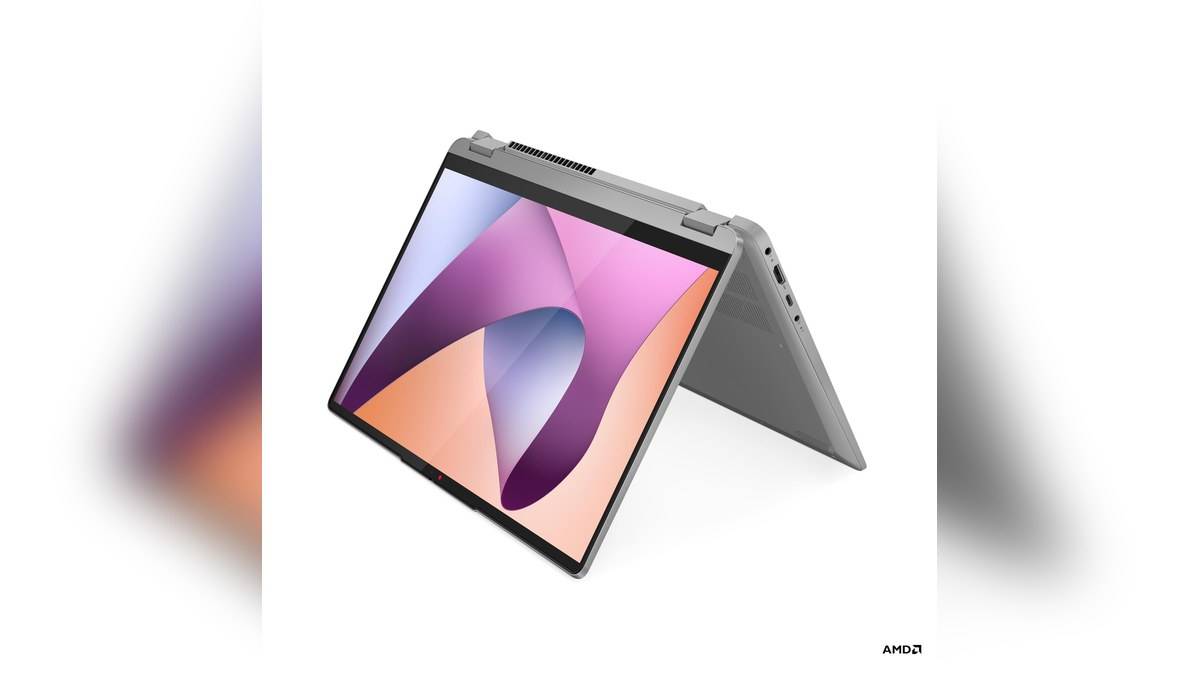
NEW DELHI: The Lenovo IdeaPad Flex 5 14ABR8 is listed at Rs 67,000 for configuration 82XX0071IN, with a Ryzen 7 7730U processor, 16GB memory and a 512GB SSD. The verified India listing includes a Digital Pen and a touchscreen, making this a convertible to assess for writing and annotation as well as ordinary laptop work.
| Verified variant | IdeaPad Flex 5 14ABR8, 82XX0071IN |
|---|---|
| Listed price | Rs 67,000, including shipping and taxes |
| Processor | AMD Ryzen 7 7730U |
| Memory and storage | 16GB soldered LPDDR4X; 512GB SSD |
| Display | 14-inch WUXGA 1920 x 1200 IPS touchscreen, 300 nits, 60Hz |
| Graphics | Integrated AMD Radeon Graphics |
| Software | Windows 11 Home Single Language; Office Home and Student 2021 |
| Listed bundle | Lenovo Digital Pen; One Year PremiumCare |
Price as of 22 November 2026, 23:10 IST. The figures above come from Lenovo's official India store listing. They apply to the selected Arctic Grey SKU. This guide does not assign prices to other processors, colours or Flex generations that happen to share a similar name.
Start with the reason for the hinge
A convertible earns its place when the screen position changes the work. A student could type an assignment, fold the keyboard away to read reference material, then annotate a diagram. A tutor could turn the screen towards a learner without leaving the keyboard between them. Those are clearer reasons to choose this design than the general appeal of a touchscreen.
Try the task you expect to do most often before deciding how valuable that flexibility is. If you plan to write on the screen, test the application, pen response and resting position of your hand together. If you mostly type, assess the keyboard and screen angle first. A versatile hinge cannot make an unsuitable working posture comfortable.
The display option is specific
Lenovo's PSREF distinguishes the WUXGA panel from a separate 2.2K family option. The priced India SKU has the former, with a 45% NTSC colour-gamut specification. Do not assume an advertisement showing a higher-resolution Flex display describes this machine. The panel specification is part of the configuration, just as the processor is.
That makes this a more natural candidate for general study, annotation and office use than a purchase based solely on colour-critical work. Anyone preparing images for clients should examine the display with representative files and consider their colour-management workflow. Touch support and display colour coverage answer different questions, even when both appear under the same screen heading.
Fixed memory, and a storage detail to understand
The official reference confirms there are no memory slots. It also explains that the storage slot is PCIe 3.0 x4, even where a PCIe 4.0 drive is fitted. Consequently, the drive's generation should not be interpreted as a promise that this laptop can use the full speed associated with that drive interface.
For everyday ownership, the immediate question is whether the installed capacity suits your files and applications. Plan where large video projects, recorded classes or image libraries will live. A backup strategy is separate from an internal-drive upgrade: having more room inside the laptop does not protect the only copy of an assignment or client document.
The processor table identifies the Ryzen 7 7730U as an eight-core, 16-thread chip. Those specifications describe its resources, not an application benchmark. If you depend on a specialist course package or professional program, check that program's requirements and test the actual work. A processor family label alone cannot establish rendering speed or responsiveness in every application.
The platform includes Ryzen 3, Ryzen 5 and Ryzen 7 options, but only the selected Ryzen 7 SKU is priced here. Its listed battery is 52.5Wh. Treat battery capacity separately from runtime: the applications, display settings and usage pattern still determine the experience away from a socket.
Using it with a monitor and accessories
The PSREF lists USB-C with DisplayPort and power delivery, HDMI, USB-A and an SD card reader. Its display guidance distinguishes USB-C output up to 4K at 60Hz from HDMI output up to 4K at 30Hz. That difference matters when planning an external monitor: choosing the right cable path can be as important as choosing the monitor itself.
Think through the connection chain rather than buying a dock by appearance. Establish which socket carries charging, which carries the display and where a reader or external drive will connect. Test that arrangement with the lid in the position you actually intend to use, especially if the machine will alternate between a desk and handwritten work.
Who it is for and the alternatives
The strongest fit is someone who needs both a normal Windows keyboard workflow and recurring pen or touch tasks. Someone who rarely folds the screen should compare an ordinary clamshell on its own merits. Equally, someone expecting a light handheld reading device should handle the convertible in tablet position before deciding that the form factor suits them.
Our Lenovo Idea Tab Plus vs Idea Tab price: Idea Tab starts lower at Rs 20,998 offers a different Windows form-factor reference. Readers weighing a conventional laptop can consult the Lenovo Legion Tab at Rs 36,000: identify Gen 2 before comparing gaming tablets. The How to read Lenovo Tab M9 listings at Rs 9,499 and Rs 11,999 provides a further comparison point. Check the exact display, memory and software on any quotation.
Official sources: Lenovo Flex 5 PSREF and Lenovo India configuration listing.