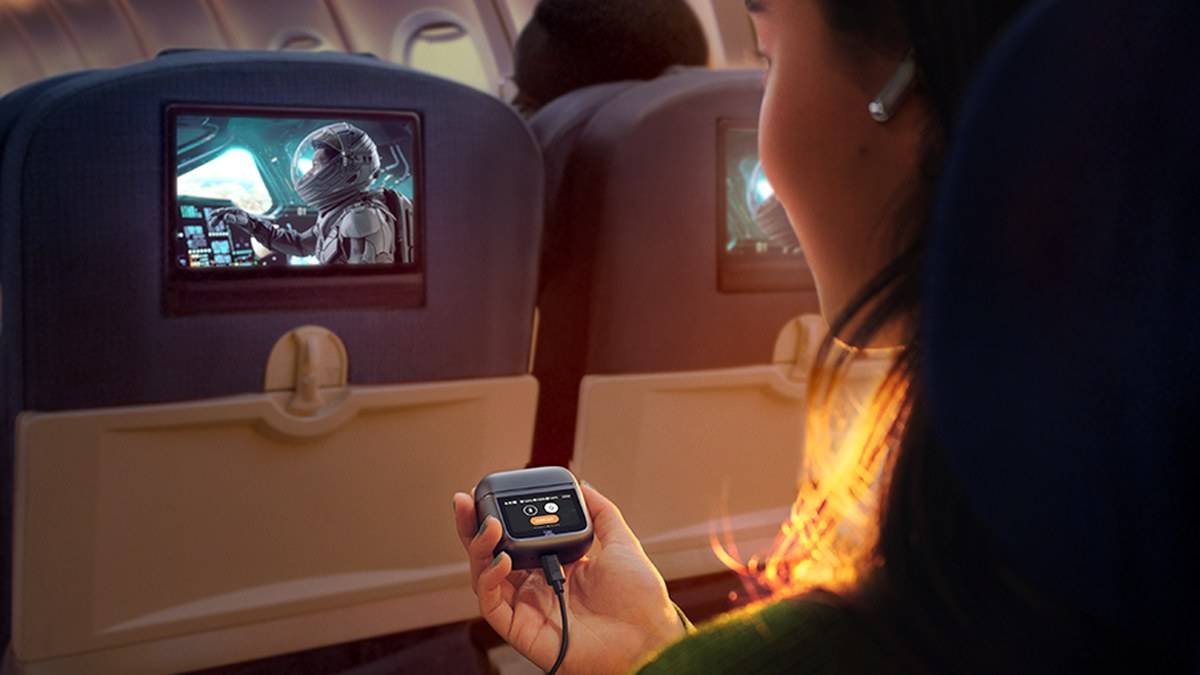
NEW DELHI: JBL Tour Pro 3's charging case does more than show track controls on its 1.57-inch touchscreen. JBL says it can take audio from an AUX or USB-C source and transmit it wirelessly to the earbuds. That makes the case relevant when the sound is coming from a wired entertainment system rather than the phone already paired with the buds.
| Part of the system | Official function or supplied item |
|---|---|
| Case display | 1.57-inch touchscreen |
| Wired source options | AUX or USB-C |
| Audio cables listed in the box | USB-C to USB-C and USB-C to analogue 3.5mm |
| App | JBL Headphones |
| Audio sharing | Auracast, with compatible receiving equipment |
| Update caveat | JBL marks LE Audio availability through an OTA update |
Think of the case as the bridge
The connection path is source device, cable, case, then earbuds. The wire ends at the case, leaving the listener wearing wireless earbuds. The screen and the transmitter perform different jobs: one provides controls and information, while the other brings sound into the system. A touchscreen alone would not establish that an earbud case could accept wired audio.
For an Indian traveller facing an unfamiliar seatback screen, the useful preparation is to look at the output connection before settling in. The case cannot create an audio output where none is available. The presence of a display, a charging socket or a cable-shaped opening on the source should not be treated as evidence that the intended sound is being sent through it.
Match the cable to the source
JBL lists separate USB-C and analogue audio cables in the package. Use the appropriate supplied audio cable for the available source connection. This is a more precise instruction than saying to plug in any charging lead: the function being attempted is audio transfer into the case, rather than simply replenishing its battery.
Before a journey, a short check with the actual source is more useful than discovering a mismatch after boarding. Play familiar content, confirm that the source is sending sound and listen through the earbuds. Begin at a modest volume. This sequence helps distinguish an output-selection problem from a content problem without changing several settings at once.
At a desk, the same reasoning applies to a computer. Check which output the operating system has selected before assuming an application has stopped working. If sound is still coming from the computer speakers, increasing earbud volume will not resolve the routing choice. Keep the cable connection visible while checking the path.
The screen is useful without replacing every setup task
The case screen offers playback and call controls, ambient-sound selection and other shortcuts. JBL also lets users customise the screen through the JBL Headphones app. Treat the display as a convenient control surface for an established setup, while the app remains relevant for personalisation and checking the available settings.
A person watching a film with the phone put away may appreciate a reachable control on the table. Someone carrying the case deep in a rucksack may gain less from that convenience. The usefulness comes from where the case sits during listening, not merely from the fact that the screen exists. Plan a place for it alongside the connected source so the cable is not pulled when reaching for a bag.
Sharing requires a compatible destination
JBL describes an Auracast option on the display for sharing audio with nearby compatible devices. The page also attaches an over-the-air-update caveat to its LE Audio description. Do not assume that any nearby Bluetooth headset can join, or that a feature mentioned on the product page proves the current firmware state of an individual pair.
For a family trip, check receiving-device compatibility before relying on shared listening. A second listener needs a workable receiving path, not simply a phone with Bluetooth switched on. Test the intended combination together, rather than treating successful solo playback as proof that the sharing arrangement is ready.
The transmitter feature also should not be stretched into promises about every microphone or conferencing application. Sending programme audio to the earbuds and managing a two-way call are different tasks. Confirm the call input and output in the application being used if the setup is intended for meetings; this article does not establish universal microphone routing over every cable connection.
For related connection questions, read our JBL launches PartyBox 720, 330 and 130 in India with AI karaoke mics, prices from Rs 39,999 and Sony ULT TOWER vs JBL PartyBox: which party speaker to buy this Diwali. Our Sennheiser ACCENTUM Wireless: set up USB audio and microphone covers the separate role of charging reserves. Tour Pro 3's transmitter is a connection feature, rather than a reason to apply another model's battery figures.
Official sources: JBL Tour Pro 3 and its official specification sheet.