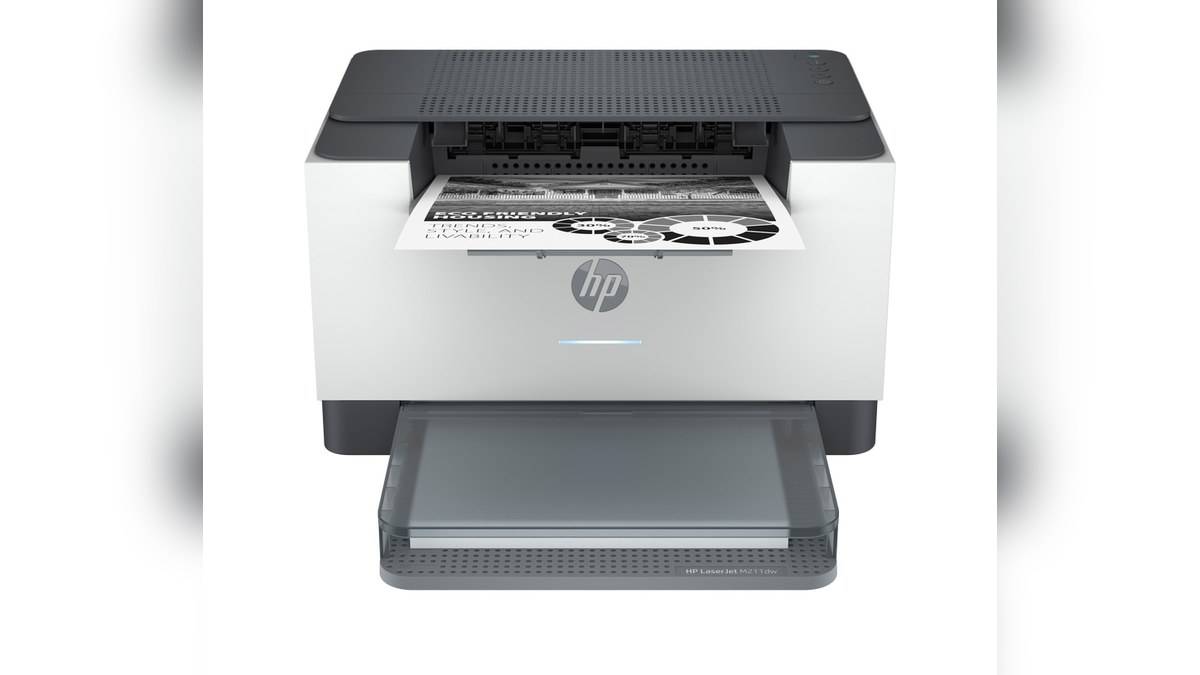
NEW DELHI: The HP LaserJet M208dw is listed at Rs 14,999, inclusive of taxes, on HP India's official store. The India product code is 6GW64A#ACJ. This is a monochrome, print-only laser with automatic duplex printing, rather than a multifunction machine with a scanner or copier.
| Item | Official India listing |
|---|---|
| Model | HP LaserJet M208dw, 6GW64A#ACJ |
| Printer price | Rs 14,999 including taxes |
| A4 print speed | Up to 29 ppm |
| Recommended monthly volume | 200 to 2,000 pages |
| Paper input / output | 150 sheets / 100 sheets |
| India replacement toner | HP 137A or HP 137X |
Price as of 9 November 2026, 00:14 IST. The price above is the displayed printer price, with no conditional supplies benefit applied. HP lists a single India configuration at this product URL; it does not provide a separate price for each connection method or paper setting.
What the printer price actually covers
For a desk producing text documents from existing files, the M208dw's brief is fairly clear. It creates black-and-white output and can turn a sheet internally for automatic two-sided printing. A paper original that needs digitising still requires another capture device. The printer's wireless connection does not add that missing scanner hardware.
That distinction matters when replacing a shared office machine. Someone asking for a printer may really mean a place to photocopy identity documents, scan signed forms and print invoices. List those tasks separately before comparing the M208dw's price with an all-in-one. Otherwise, the apparent saving can conceal an extra device needed elsewhere on the desk.
Use the India toner number when planning replacements
HP's India specification names the HP 137A black cartridge, W1370A, at approximately 1,150 pages, and the HP 137X, W1370X, at approximately 2,600 pages. The store also lists an inbox cartridge with an approximate 1,150-page yield. Actual output varies with page content and other printing conditions.
These figures describe consumable yield, not the number of paper sheets in the tray or a period of free printing. A densely filled document and a lightly covered text page are not equivalent demands on toner. Treat the rated yield as a comparison basis under its stated testing conditions, rather than a countdown that must end on an exact page.
Keep the supply code alongside the printer code in the office purchase record. That allows the person ordering toner to match the specification even when someone else originally selected the machine. Check the individual listing rather than relying on a photograph of a similar cartridge or a shortened family name.
The ordinary workload is more useful than the largest number
HP recommends 200 to 2,000 printed pages per month. Its larger duty-cycle figure serves a different purpose in comparing device capability. For a small practice or accounts desk, start with the pages actually printed during an ordinary month, then consider how much of that work arrives in concentrated bursts.
The input and output capacities also deserve attention together. Loading a tray does not mean the finished output can sit untouched until every sheet has passed through. An operator should plan where completed work will go, especially when several people send jobs and need to keep client documents separated.
A4 speed and first-page time answer different questions
The official specification gives up to 29 pages per minute for A4 and a first A4 page from ready in as fast as 7 seconds. The headline rate describes a running print job. It should not be used to promise that a short file will finish immediately after someone clicks Print.
A sensible acceptance check is to use your own routine document. Confirm the correct printer queue, paper size, legibility and final page order. If the normal work includes signatures, fine table lines or long terms and conditions, inspect those parts of the print. A headline speed says little about whether the chosen file and settings produce a usable office record.
Choose the connection for the way the desk works
HP lists USB, Ethernet and dual-band Wi-Fi connectivity for this model, along with mobile printing options including AirPrint, Mopria and Wi-Fi Direct. Those routes offer different ways to submit a job to the same printer. They do not create separate hardware versions or change a print-only device into a multifunction printer.
For a shared installation, decide who will manage the queue and where users will collect output. Keep the exact model, product code and toner family with the office purchase record. That small amount of documentation is more useful at replacement time than a screenshot containing only a promotional headline or a shortened model name.
Related reading: our HP 430 Multi-Device Wireless Mouse price: Rs 2,229 covers a different printing system, while the HP OMEN 24 price list: Rs 14,000 to Rs 18,290 and HP Smart Tank 580 vs 585 price: 585 starts lower at Rs 14,999 provide context on ink-tank alternatives. Their functions and consumables should be compared independently.
Official sources: HP LaserJet M208dw India listing, linked HP technical sheet.