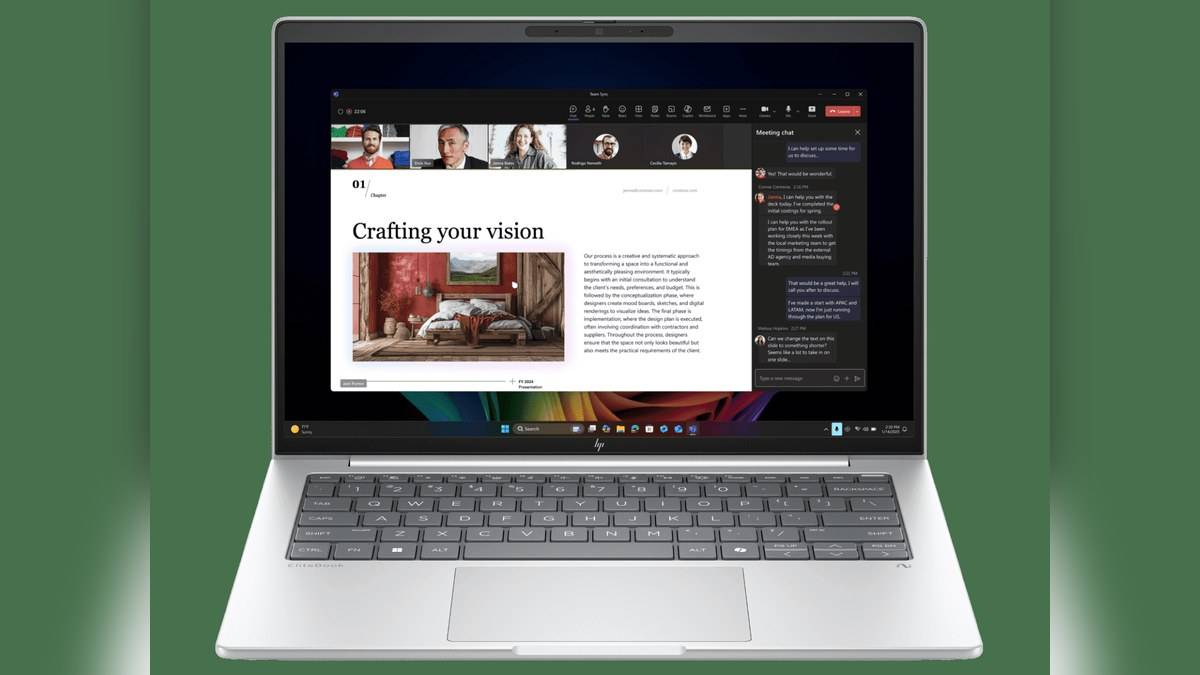
NEW DELHI: HP's EliteBook 8 G1i 14-inch India listings run from Rs 1,92,383.42 for DM6M5PT to Rs 2,40,479.28 for DM6M8PT. The higher-priced configuration changes the processor and memory, while both retain a 1TB SSD and a WUXGA screen. These are two specific business notebook configurations, with tax-inclusive prices displayed by HP.
| India reference | Processor | RAM / SSD | Listed price |
|---|---|---|---|
| DM6M5PT#ACJ | Core Ultra 5 225H | 16GB / 1TB | Rs 1,92,383.42 |
| DM6M8PT#ACJ | Core Ultra 7 255H | 32GB / 1TB | Rs 2,40,479.28 |
| Both | Windows 11 Pro | 14-inch 1920 x 1200 IPS, non-touch | Prices include taxes |
Price as of 17 November 2026, 00:11 IST. This is a price list for the two opened India references, not every EliteBook sold internationally. Accessory discounts displayed beside the laptops have not been applied to their prices.
The extra money changes the working configuration
The clearest difference is additional memory alongside a different processor. For a team preparing a standard laptop specification, that should prompt a workload discussion rather than an automatic preference for the higher tier. A browser-based administrative role and a development role may share an office but place different demands on their computers. Benchmark evidence would be needed to quantify the processor improvement.
HP lists a single installed memory module and two SODIMM slots on each reference. The modules differ in capacity and published transfer rate between these listings. That makes the complete memory arrangement relevant, especially when comparing a quotation that offers a different module layout. Do not treat the processor badge as a substitute for reading the memory line on the order.
Read the graphics qualification carefully
The product summaries name Arc graphics, but HP's own qualification says full Arc capabilities require the specified processor and dual-channel memory. It adds that single-channel configurations function as Intel Graphics. Because these references list a single installed module, graphics expectations should be checked against that qualification rather than built solely around the prominent Arc label.
This is particularly relevant to a compact business machine being considered for visual work. A spreadsheet or browser interface does not establish how a graphics-heavy application will behave. Request the application's hardware requirements and compare them with the delivered configuration. The listings do not support a claim that either laptop replaces a dedicated graphics workstation.
An office screen rather than a creator display
Both detailed pages specify an anti-glare panel rated at 300 nits and 62.5% sRGB. That is a meaningful limit to carry into any design discussion. The business positioning and premium price do not turn this particular screen into a wide-gamut creative panel. Anyone handling colour approvals should establish a suitable display workflow separately.
The non-touch specification also deserves attention because international family photographs can illustrate other screen options. A product image is useful for recognising the chassis, but the India reference defines what is included. The same discipline applies to optional connectivity and security equipment mentioned in broader family descriptions.
Ports support a permanent desk setup
HP identifies Thunderbolt 4, another USB-C connection, HDMI and USB-A in the port list. For a person alternating between meetings and a desk, the practical exercise is to map the monitor, headset and peripherals before choosing a dock. Some equipment may connect directly, while a dock may make repeated arrival and departure more convenient.
The published battery is 62Wh, with a USB-C adapter included. Capacity alone cannot establish a working day away from a socket. Conference calls, brightness settings and application load all affect the experience. This guide has not measured endurance, so it does not convert the battery figure into an independent runtime promise.
Business features and software costs
The pages describe HP management and security tools, including Sure Start and Sure Click, as part of the platform. For an organisation, those features are useful only when they fit its administration and recovery processes. The IT team should establish how devices will be configured, patched and restored before standardising on the model.
Office software is listed as sold separately. That is an easy detail to miss when a familiar Windows desktop appears in promotional material. A business comparing complete deployment costs should allow for its own application licences and support arrangements rather than assuming that the laptop price covers the entire working environment.
Comparisons that answer different needs
Our HP 430 Multi-Device Wireless Mouse price: Rs 2,229 provides a portability-focused alternative, while the HP OMEN 24 price list: Rs 14,000 to Rs 18,290 covers another compact Windows family. For a desk peripheral, the HP Smart Tank 580 vs 585 price: 585 starts lower at Rs 14,999 is related reading.
The EliteBook's distinct proposition is the combination of serviceable memory, business administration features and a compact chassis. Compare those requirements with the intended workload before treating the more expensive configuration as an automatic upgrade in every part of the experience.
Official sources: HP DM6M5PT listing and HP DM6M8PT listing.