
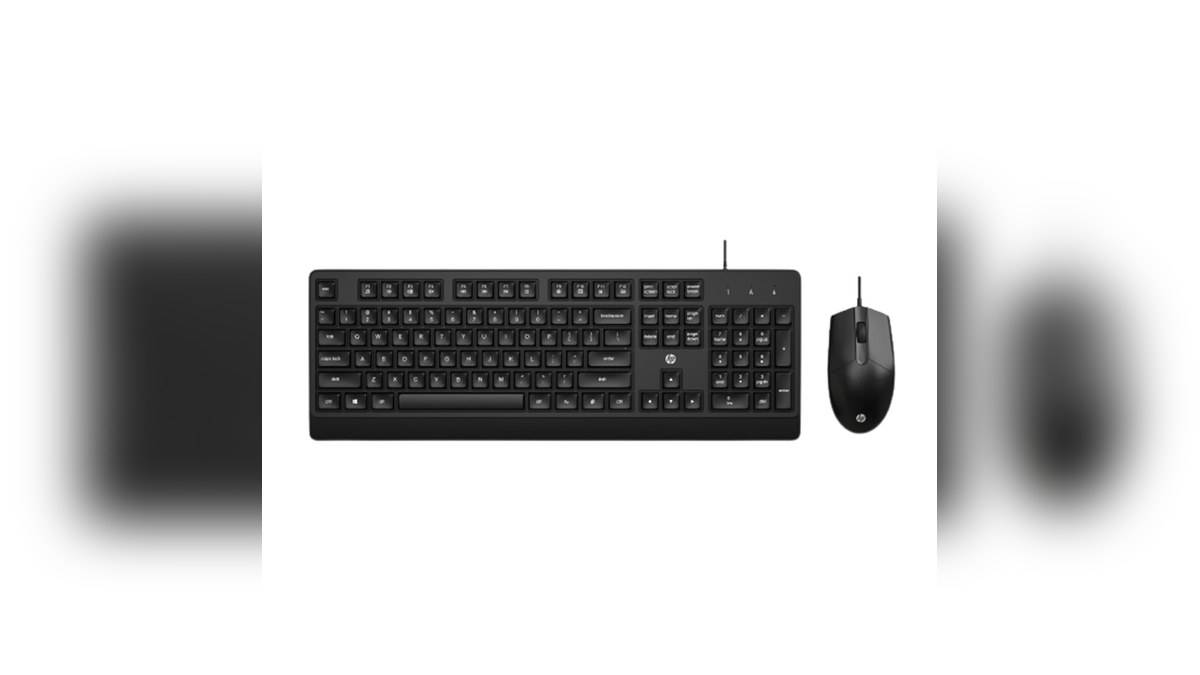
NEW DELHI: HP's India store lists the KM180 wired mouse and keyboard combo at Rs 744 and the HP 230 wireless mouse and keyboard combo at Rs 2,295.01. The comparison is between complete desktop input sets: KM180 uses wired USB Type-A connections, while the HP 230 set uses a wireless USB connection and replaceable batteries.
| Official detail | HP KM180 combo | HP 230 wireless combo |
|---|---|---|
| Displayed price, tax included | Rs 744 | Rs 2,295.01 |
| India product code | 7J4G3AA#ACJ | 3L1F0AA#UUF |
| Connection | Wired USB Type-A | 2.4GHz wireless |
| Mouse sensor | 1,200 DPI optical | 1,600 DPI optical |
| Listed Windows support | Windows 11 and Windows 10 | Windows 11 and Windows 10 |
| Battery requirement | Wired operation | Two AAA for keyboard, one AA for mouse |
Price as of 24 November 2026, 00:02 IST. These are the amounts displayed before applying any promotional code. HP shows separate MRPs of Rs 2,037 for KM180 and Rs 4,585 for the HP 230 set. A category listing and an individual product page can show different selling amounts, so the individual product pages supply the comparison here.
KM180 keeps the setup tied to USB
According to HP's official KM180 page, the set contains a wired keyboard, wired mouse, quick-start guide, warranty card and product notice. The page specifies USB Type-A as the connection and identifies a USB Type-A port in the minimum system requirements. That makes checking the laptop's physical ports an immediate part of planning the setup.
The keyboard weighs 473g and the mouse 72.5g in HP's specification. Keyboard dimensions are 443.8 x 155.5 x 23mm, while the mouse measures 116.5 x 61.5 x 37.9mm. Those figures describe ordinary desktop-sized equipment rather than a compact travel keyboard, even though the set can accompany a laptop.
KM180 also has indicators for Number Lock, Caps Lock and Scroll Lock. These are modest details, but they can help when a user alternates between writing and entering figures. The page describes the familiar left, right and scroll-wheel mouse controls. No verified gaming polling-rate or mechanical-switch claim is attached to this set in this comparison.
HP 230 removes desk cables but adds batteries
The HP 230 combo page describes a full-size keyboard with a three-zone layout, chiclet styling and integrated function-key shortcuts. Its wireless connection is rated for up to ten metres in an open area. That condition matters: the published range is not a guarantee through walls or in every office radio environment.
HP rates the keyboard for up to sixteen months of battery life and the mouse for up to twelve months. These are separate estimates, rather than a single promise for the whole set. The company's qualification says actual life varies with use and environmental conditions, and decreases with time and usage. No charging feature should be inferred from these replaceable-battery specifications.
For a desk used by several family members, the practical maintenance task is keeping the appropriate batteries available and knowing which device needs replacement. For a permanently arranged home workstation, removing cables may simplify clearing space for books or paperwork. The relevant difference is the way the set is managed, beyond its appearance in a product photograph.
Compare desk footprint before portability
HP lists the wireless keyboard at 44 x 14.62 x 2.76cm and its mouse at 6.33 x 11.5 x 3.62cm. The keyboard weighs 0.5kg and the mouse 0.06kg. Its page identifies White for the specific product code checked here; the article does not assign this price to a different colour or SKU.
Neither set solves a cramped desk simply by being external. Put the laptop where it will normally sit, leave room for a notebook and consider the space available for the mouse. A wireless link changes cable routing, but it does not remove the keyboard's physical footprint. The dimensions provide a useful starting point without claiming a hands-on comfort verdict.
The higher listed mouse sensitivity on HP 230 also does not establish superior accuracy. A specification describes the sensor setting, while the user's pointer preferences and working surface influence the experience. For documents, browsing or spreadsheets, the complete keyboard layout, connection arrangement and maintenance routine may deserve more attention than that isolated number.
Use the exact combo name when comparing alternatives
The HP 230 combo should be identified by its full product name and code. A separate mouse bearing a similar number is not evidence for what this package includes. The same discipline applies to KM180: the verified price belongs to the listed keyboard-and-mouse set, rather than an individually sold keyboard with a similar appearance.
For related desk equipment, see our HP 350 compact keyboard guide, HP 430 mouse coverage and HP G6 dock comparison. The two sets discussed here address a straightforward distinction: wired desktop inputs or a wireless keyboard and mouse with separately rated battery life.
Official sources: HP KM180 India product page and HP 230 wireless combo India product page.