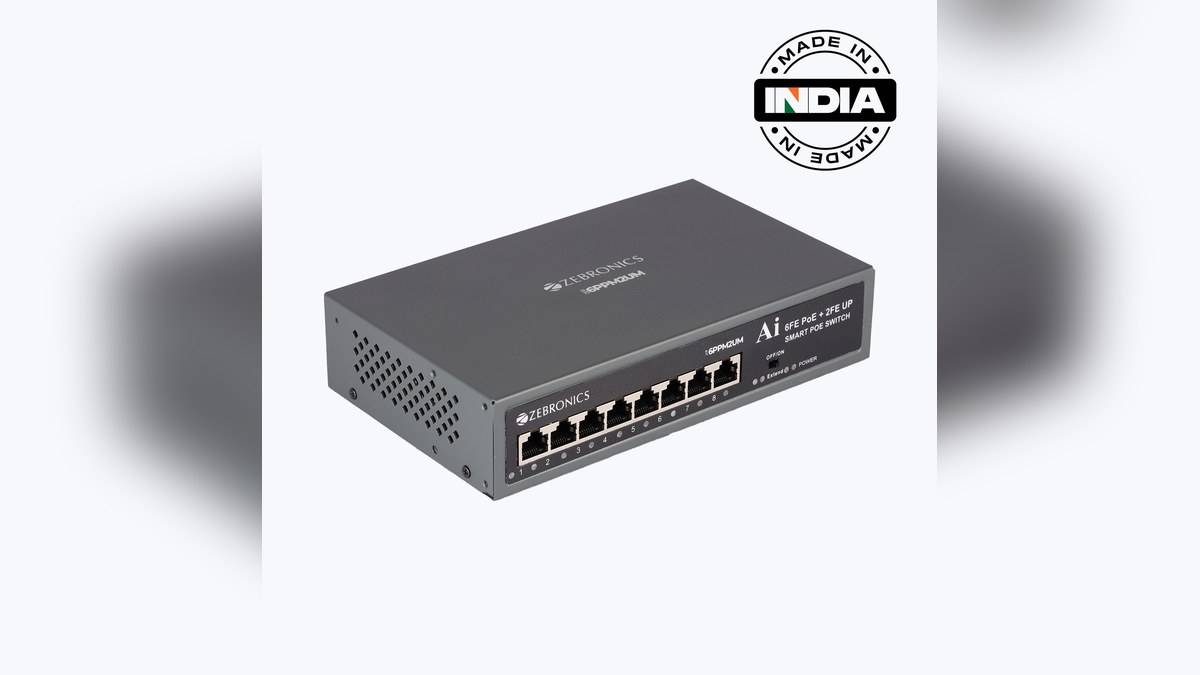

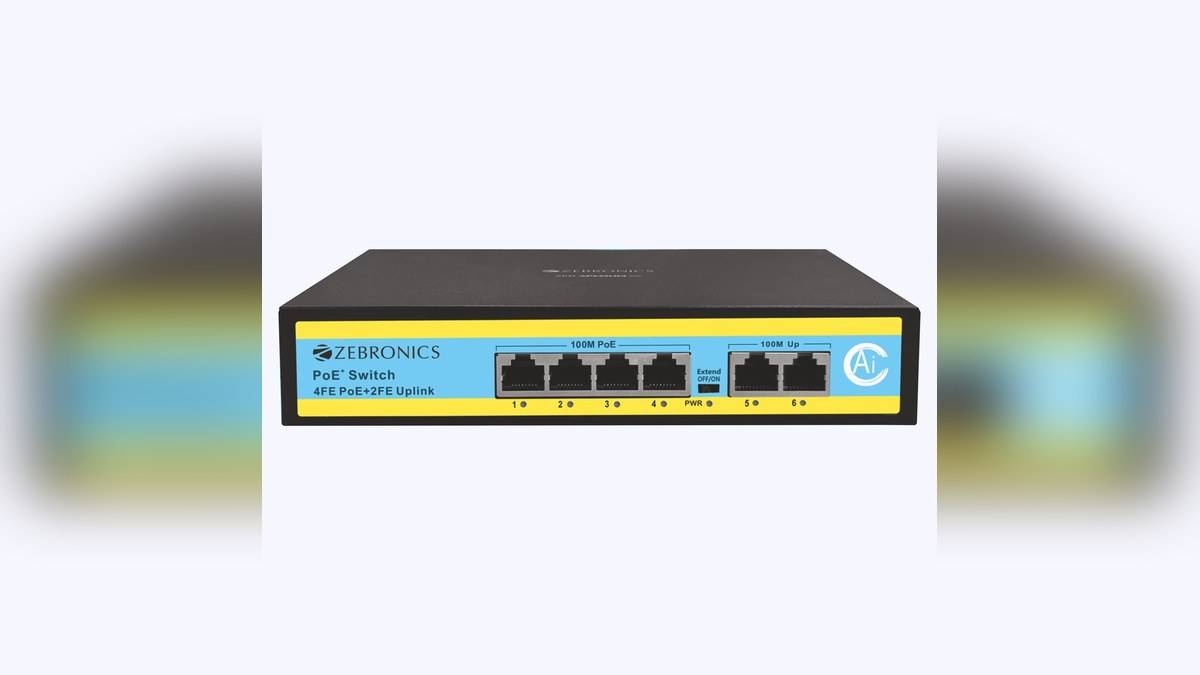
NEW DELHI: Zebronics' Zeb 4PM2UM 65 is listed at Rs 3,199, including tax, with four PoE ports and a shared 65W power allowance. It is an unmanaged switch for a compact wired installation. To use it with home cameras, plan compatible endpoints, an onward network connection and recording equipment before the installer starts routing cables.
| Check | Official specification |
|---|---|
| Listed model price | Zeb 4PM2UM 65: Rs 3,199 |
| Powered connections | 4 x 100M PoE |
| Onward connections | 2 x 100M Ethernet uplinks |
| Power ceiling | 65W shared; up to 30W per port |
| Compatibility | IEEE802.3af/at |
| Dimensions | 19 x 12.5 x 3.8 cm; 541g |
Price as of 23 November 2026, 00:35 IST. Zebronics' official page shows this configuration with a single numerical price. It also lists AI Watchdog and dynamic power control among its features. Those labels should be considered alongside the connector and power specifications when deciding whether the model fits a proposed camera layout.
Choose the camera positions before the switch location
For a home entrance, parking space and other intended views, start with what the cameras must actually see. Mark each location and the route back to the switch. Then decide where the recorder and router will sit. This avoids placing the network equipment first and discovering that the most useful camera position is awkward to cable.
Ask whether the proposed cameras explicitly support the switch's PoE standards. Check the exact camera model on the quotation rather than relying on a general description such as network camera. If a retained camera still needs an adaptor, include that requirement in the plan so the installation does not depend on an improvised power lead.
The switch has distinct powered camera ports and uplinks, all listed at 100M. Put their intended roles on the handover drawing. This is particularly useful when another family member later reconnects equipment after cleaning or moving a cabinet. A short label at each cable end can save considerable confusion during a fault.
Check the camera load against 65W
The model's compact camera count does not remove the need for power arithmetic. Its maximum per-port output and overall budget are separate limits. Ask the installer to list the cameras' maximum consumption and show that the complete set fits the shared allowance. Include functions that raise demand, such as camera illumination, where the endpoint specifications provide them.
Do that check before agreeing to a package that fills every powered socket. The switch price is straightforward, but the cost of changing equipment after cable termination is less easy to compare. If future cameras are planned, discuss their likely requirements now and leave the chosen configuration documented with the installation records.
Next, have the installer explain the recorder connection. A switch can carry camera traffic without establishing how footage is stored or retained. Agree on where recording takes place, how to retrieve an incident and who will keep access credentials. Demonstrate those tasks on the actual system rather than leaving the household with only a live-view screen.
Treat extended reach as a separate operating condition
The manufacturer's maximum 250m PoE claim is qualified by a 10M connection over Cat.6. Its table lists shorter reach for the faster copper mode. The longest-distance headline therefore needs to be read with the operating condition beside it. Ask the installer to test the intended route with the camera and recording settings that will be used.
This can matter at a detached gate or a distant corner of a property. The route may look short on a floor plan but become longer once bends and the actual cable path are included. Get that route measured before accepting a promise that extended mode will make the design work. Cable condition and termination should be part of the handover checks.
The enclosure dimensions are useful when choosing a shelf or cabinet. Leave access for the power cord and network connectors instead of concealing everything immediately after installation. Zebronics lists the switch, power cord and QR guide in the package. Check the supplied items and the unit's full model name against the invoice.
Compare the right alternative and keep a service record
The Zeb 4PG2UG1UF 65 guide covers a different model despite its similar name. Readers planning recording equipment can also use the Zeb NVR guide, while the Zeb EnergiUPS guide provides separate power-backup context. Confirm compatibility for the complete equipment set.
Before sign-off, check every camera view, retrieve saved footage and confirm that the system recovers after a controlled restart. Keep the camera list and cable labels with the bill. Zebronics' warranty table lists two years for PoE switches, subject to policy conditions, so an identifiable purchase and installation record is useful if service becomes necessary.
Official sources: Zebronics product listing and Zebronics warranty policy.