
NEW DELHI: Zebronics lists the EnergiUPS 4K router UPS at Rs 1,299 and the EnergiUPS 8K at Rs 1,699 on its official shop. Both are intended to keep compatible network equipment powered during an interruption. The choice turns on the required backup period and electrical compatibility, rather than the names alone.
| Model and official shop price | EnergiUPS 4K: Rs 1,299; EnergiUPS 8K: Rs 1,699 |
|---|---|
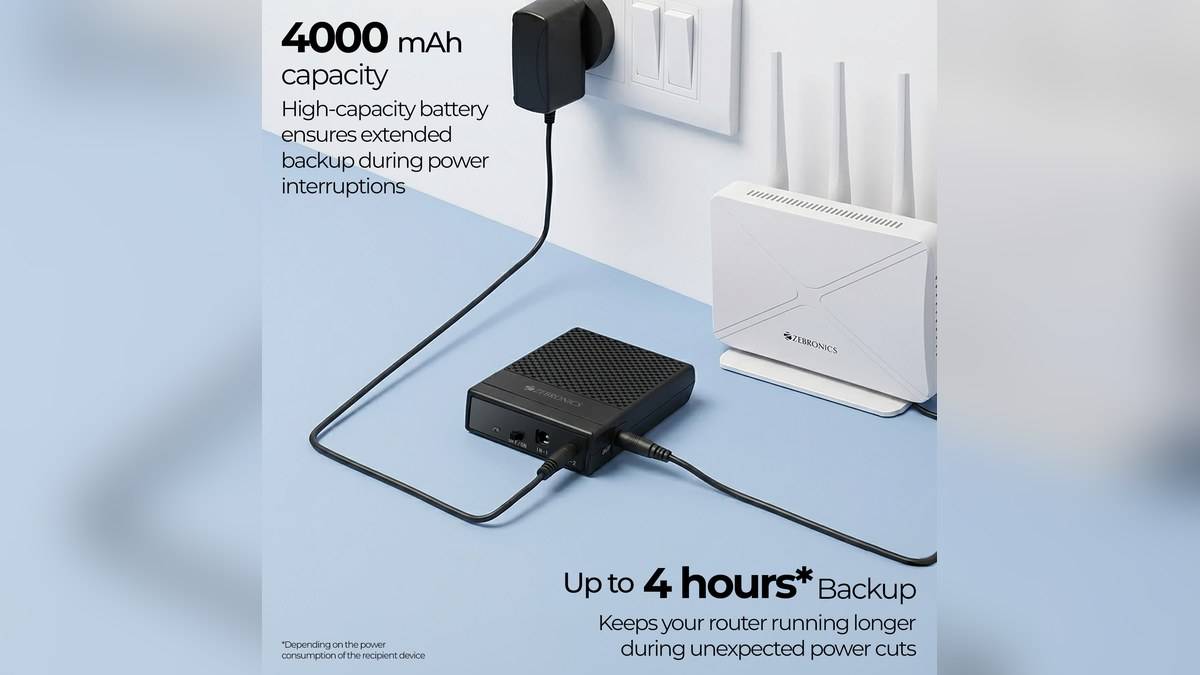
| Listed battery capacity | 4K: 4000mAh; 8K: 8000mAh |
| Advertised backup ceiling | 4K: up to 4 hours; 8K: up to 6 hours, conditional claims |
| Input and output voltage | DC 12V on both models |
| Maximum output current | 3A on both models |
| Charging time claim | 4K: up to 3 hours; 8K: up to 4 hours |
| Output connection | One 5.5 x 2.1mm output on each |
Price as of 19 November 2026, 02:19 IST. Prices include tax on the official shop. Zebronics also displays higher reference amounts beside these selling prices. Those crossed-out figures should not be confused with separately priced hardware variants. The comparison here uses the shop prices visible when checked, without a coupon or retailer promotion.
Start with the equipment label
Before ordering, photograph the power label on the router and its existing adapter. Match the required voltage, current arrangement and connector against the UPS documentation. A plug that appears to fit is only part of the check. If polarity or adapter suitability remains unclear, obtain written confirmation for the exact equipment combination before connecting it.
Both listings show input sockets measuring 5.5 x 2.1mm and 4.0 x 1.35mm, while the output is a single connection. That is useful information for planning the cable path. It does not establish that the unit can independently back up every box beside the router. Inventory the devices involved before treating this as a complete broadband backup system.
Read the backup claim as a ceiling
The advertised durations carry an asterisk on the official listings. The readable text does not establish a test load that lets us promise the same runtime with a particular router. Treat the figures as manufacturer ceilings. Battery capacity by itself is insufficient to calculate the hours available to your own installation, and this guide makes no such estimate.
The practical test is whether your usual connection survives the kind of interruption you actually experience. Charge the unit, follow its supplied guide and make a supervised changeover test when losing the connection will not interrupt essential work. Record whether the router restarts, whether the Wi-Fi returns and whether internet access remains available through the entire equipment chain.
This distinction matters in a home with a separate fibre terminal and wireless router. Keeping the wireless box alive is helpful only if the remaining connection path also works. Trace where the incoming service enters the home and identify which boxes need electricity. Ask the installer to explain that path rather than assuming the visible Wi-Fi antennas identify the entire broadband system.
What the larger version changes
The 4K is identified as ZEB-RUPS 2 and weighs 152g; the 8K is ZEB-RUPS 1 and weighs 240g. Both listings give the same enclosure dimensions of 7.3 x 11.9 x 2.6cm. The larger battery version therefore deserves attention where space is tight, but the stated weight difference may matter if the unit will travel with equipment.
Wall mounting, changeover without interruption, over-voltage protection and short-circuit protection are listed for both. These are manufacturer features, not results of independent testing here. Leave the installation accessible so that a cable can be inspected and the device label can be read without disturbing the rest of the network. Do not bury it behind furniture merely because the enclosure is small.
Choose the configuration before paying
The box contents list the UPS, an output cable and a QR code guide. An additional mains adapter is not listed among those contents. Confirm how the existing adapter is intended to be used, and whether any extra compatible cable or supply is needed. This avoids comparing the device price with a supposedly complete installation cost that has not actually been quoted.
Within this pair, the 4K is the lower-price alternative and the 8K offers the higher stated capacity and backup ceiling. Neither claim settles suitability for an unidentified router. Save the listing and invoice showing the exact model, and keep an account of any failed changeover test. That evidence is more useful for troubleshooting than simply reporting that the internet stopped.
For the wider home-network plan, read our Zeb NETWIZ300A guide: Rs 3,199, 300Mbps and three network modes, Zeb WR3004G explained: Rs 5,999 for LTE and 2.4GHz Wi-Fi 6 and Zeb AHDPDSL24 price: Rs 2,999 for the home CCTV dome camera. Use them to identify the networking hardware separately from the backup power decision.
Official sources: EnergiUPS 4K and EnergiUPS 8K.