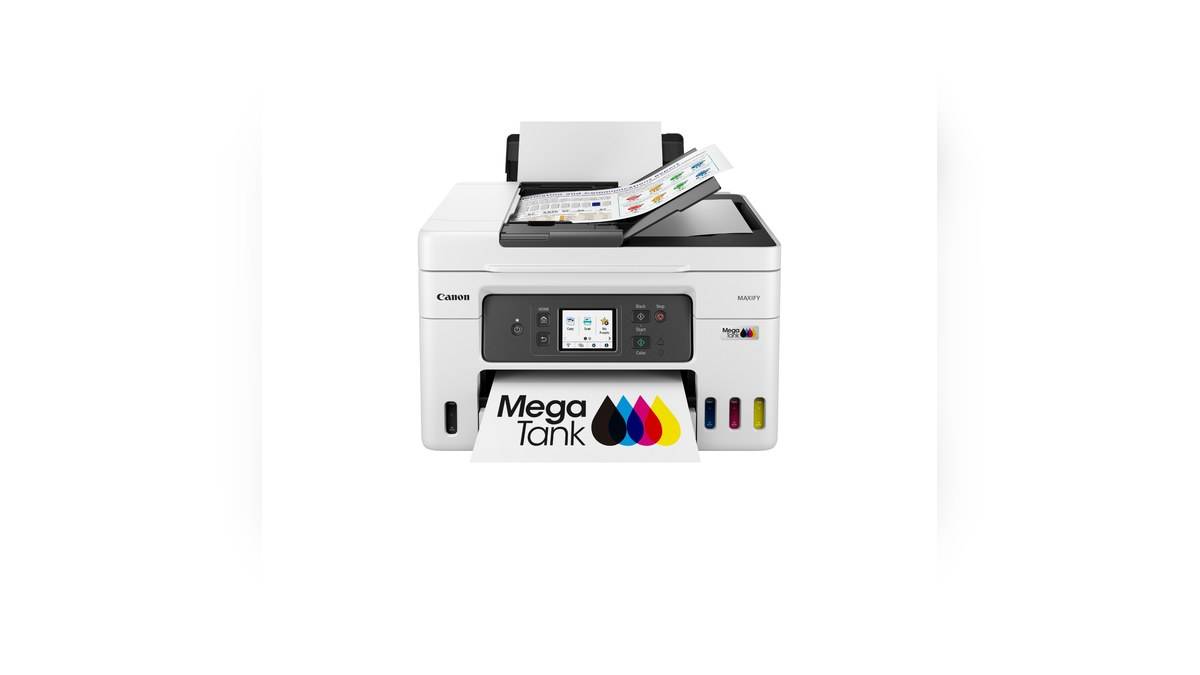
NEW DELHI: Canon India lists the PIXMA G6070 at Rs 29,495 and the MAXIFY GX4070 at Rs 37,995, including taxes. Both are refillable ink-tank multifunction printers with network connectivity. The GX4070's faster stated colour-document output, pigment ink system, document feeder and fax function give it a different office role.
| Canon India specification | PIXMA G6070 | MAXIFY GX4070 |
|---|---|---|
| Tax-inclusive MRP | Rs 29,495 | Rs 37,995 |
| Functions | Print, scan, copy | Print, scan, copy, fax |
| ISO A4 mono/colour speed | 13.0/6.8 images per minute | 18/13 images per minute |
| Recommended monthly volume | 150 to 1,500 pages | 300 to 2,500 pages |
| Automatic duplex print | Yes | Yes |
| Ink bottle family | GI-70 | GI-76, all pigment |
Price as of 17 November 2026, 00:09 IST. The amounts are manufacturer MRPs. They do not represent a special offer, and neither figure alone gives the total cost of printing a particular collection of photographs, invoices or reports.
Similar supply systems, different work
The ink-tank description identifies how ink is replenished, but it does not make the printers equivalent. A home desk printing learning material and occasional photographs can have a very different workload from an office producing annotated colour documents and digitising incoming forms. The two product pages highlight those differences through their functions and ink specifications.
The G6070 combines a flatbed scanner with printing and copying. The GX4070 adds an automatic document feeder and fax. For a business processing loose original sheets, the feeder changes how the operator handles a document set. It does not remove the need to check page order, legibility and the destination file after scanning.
A useful office trial would include the type of original that actually arrives: a signed form, a receipt or a multi-page agreement. The question is whether the machine simplifies that routine. A print-speed demonstration alone cannot establish the time saved when the staff member's main task is handling and filing incoming paper.
Colour speed needs the right comparison
Both pages provide ISO A4 document rates, allowing the figures in the table to be compared on a consistent basis. The GX4070 has the higher stated mono and colour rates. Those are document-test results, however, so they should not be translated directly into photo output times or the completion time of every illustrated presentation.
For an office, the useful distinction is the mix of pages in a normal job. A report with colour diagrams creates a different workload from an almost empty letterhead. Keeping a sample of the real document makes a demonstration more revealing than choosing an unrelated file simply because it prints quickly.
Automatic two-sided printing is available on both. That shared feature means the GX4070's office positioning should not be interpreted as the starting point for duplex output. A G6070 workflow can already include double-sided documents, with the appropriate media and settings.
The ink chemistry and paper path matter
Canon identifies all the GX4070's GI-76 colours as pigment inks and describes document output intended to resist water and highlighting. The G6070's GI-70 supply listing identifies pigment black alongside its colour bottles. These distinctions are more useful than treating every refill bottle as interchangeable because it fits under the broad ink-tank description.
The GX4070 also has a straight paper path for single-sheet paperboard feeding, with thickness up to 0.7 mm. That is a specific media capability. It does not mean any rigid object can be fed through the device, or that ordinary cassette settings apply to a thick sheet. The selected material must match the documented feed route.
The G6070 offers front-cassette and rear-tray feeding, along with borderless photo printing. That gives its own workflow a different emphasis. A household alternating documents and photo paper should consider how those jobs will be loaded and selected, rather than assuming an office-focused specification automatically improves every kind of output.
Read bottle yields with their conditions
Canon's GX4070 specifications distinguish standard and Economy yields. For example, the black replacement-bottle figure is 6,000 pages in standard mode and 9,000 in Economy mode. Economy changes print density. Mixing figures from different modes would make an apparently precise running-cost comparison misleading.
Initial setup, cleaning and document coverage also affect ink use. These comparisons therefore do not attach a guaranteed cost per page to either printer. That calculation needs compatible replacement supplies, a consistent mode and a workload that represents the documents actually produced.
For other approaches, see our MAXIFY GX1070 and GX2070 guide, the PIXMA G3770 guide and the G3010 and G2010 comparison. The G6070 and GX4070 distinction remains a question of document handling, ink system and output mix, alongside the official upfront figures.
Official sources: Canon PIXMA G6070 and Canon MAXIFY GX4070.