
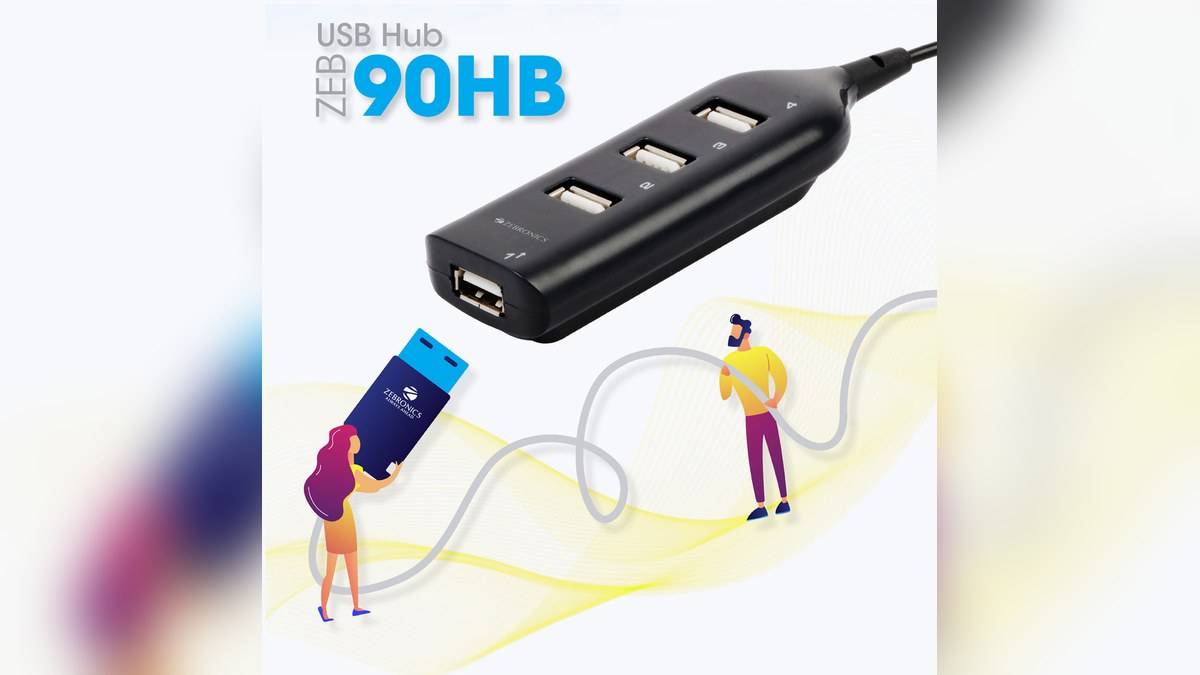
NEW DELHI: Zebronics lists its 90HB USB hub at Rs 499 and 300HB at Rs 999, inclusive of tax, on the official product pages. Both provide four USB ports, but the 90HB uses USB 2.0, while the 300HB lists four USB 3.0 ports and transfer speeds up to 5Gbps. Price as of 26 November 2026, 18:46 IST.
| Official specification | 90HB | 300HB |
|---|---|---|
| Catalogue price | Rs 499 | Rs 999 |
| Downstream ports | Four USB 2.0 | Four USB 3.0 |
| Listed cable length | 50cm | 150mm |
| Net weight | 40g | 52g |
| Installation description | Plug and play | Plug and play |
| Additional listed feature | Compact hub | LED indication, ABS housing |
The same port count hides a different specification
The figures come from Zebronics' official 90HB and 300HB product pages. This is a comparison of peripheral hubs, rather than a list of docking stations. The 300HB's published transfer figure is an upper limit and carries a qualification about usage conditions and compatible devices. It should not be presented as a measured file-copy result.
Start by writing down what the hub will connect. A desk with a keyboard receiver, a mouse receiver and occasional removable storage presents a different question from a workstation that moves files regularly. Merely counting empty sockets misses that distinction. The useful comparison is between the intended devices and the specification of the connection they need.
For a laptop that spends most of its time attached to the same accessories, physical convenience may dominate. For a computer used to handle external storage, the port generation deserves closer attention. This does not establish a particular transfer time: neither opened page reports a controlled test with the same computer, cable and storage device.
Cable length changes where the hub can sit
The 90HB's attached lead is listed at 50cm. The 300HB lists a 150mm cable. That is a meaningful desk-layout difference even before considering transfer specifications. A short connection may place the hub near the notebook, while a longer one gives more freedom to position the ports within reach.
Consider a desktop tower below a table. The hub's intended position should be worked out against the actual location of the computer's port. For a notebook on a stand, also consider which side the connection occupies and whether the cable crosses the mouse area. Neither product's name tells the user whether that particular arrangement will be comfortable.
Check the spacing needed by the accessories as well. A large wireless receiver or wide flash drive can occupy more physical room than its connector suggests. Four listed sockets are not, by themselves, evidence that every combination of bulky accessories will fit side by side. That is a physical compatibility question to assess with the intended plugs.
Construction and travel use
Zebronics describes the 300HB as having a glossy finish and lists ABS housing. Its published dimensions are 3.7 x 2.3 x 10.7 cm. The 90HB specification lists 36 x 19 x 98 mm. The difference in cable length is likely to be more immediately noticeable in a laptop bag than these modest body-size differences.
For travel, decide whether the hub remains attached to its peripherals or is packed separately. A loose collection of receivers and adapters can become awkward to track, particularly where the same laptop serves both a classroom and a home desk. Keeping the hub with the devices it serves is a practical organisation choice, rather than a performance feature.
Keep power and display expectations separate
The opened specifications establish USB data expansion. They do not establish a laptop-charging wattage, HDMI output or an Ethernet connection for either model. Anyone seeking those functions needs a product whose official specification explicitly includes them. A hub should not be assumed to perform every role associated with a larger docking accessory.
Likewise, a port count is not a verified power budget for attached devices. If the setup includes equipment with particular power requirements, establish those requirements separately. This comparison does not certify that either hub can operate an arbitrary collection of powered peripherals at the same time.
The difference supported by the official material is clear: 90HB combines USB 2.0 ports with a longer lead, while 300HB offers USB 3.0 ports with a shorter cable and a higher listed price. Choose the relevant specification for the setup being planned, rather than interpreting the higher model number as a complete compatibility guarantee.
Related desk-connectivity reading includes our Zeb USB300WF price: Rs 999 for USB Wi-Fi connectivity, Zeb 24PG2UG2UF 300 vs 16PG2UG1UF 300 price: 16PG starts lower at Rs 14,999, and Zeb 36CHV2S8TA8M price: Rs 26,999 for a larger IP CCTV system. Those accessories perform different connection tasks.