
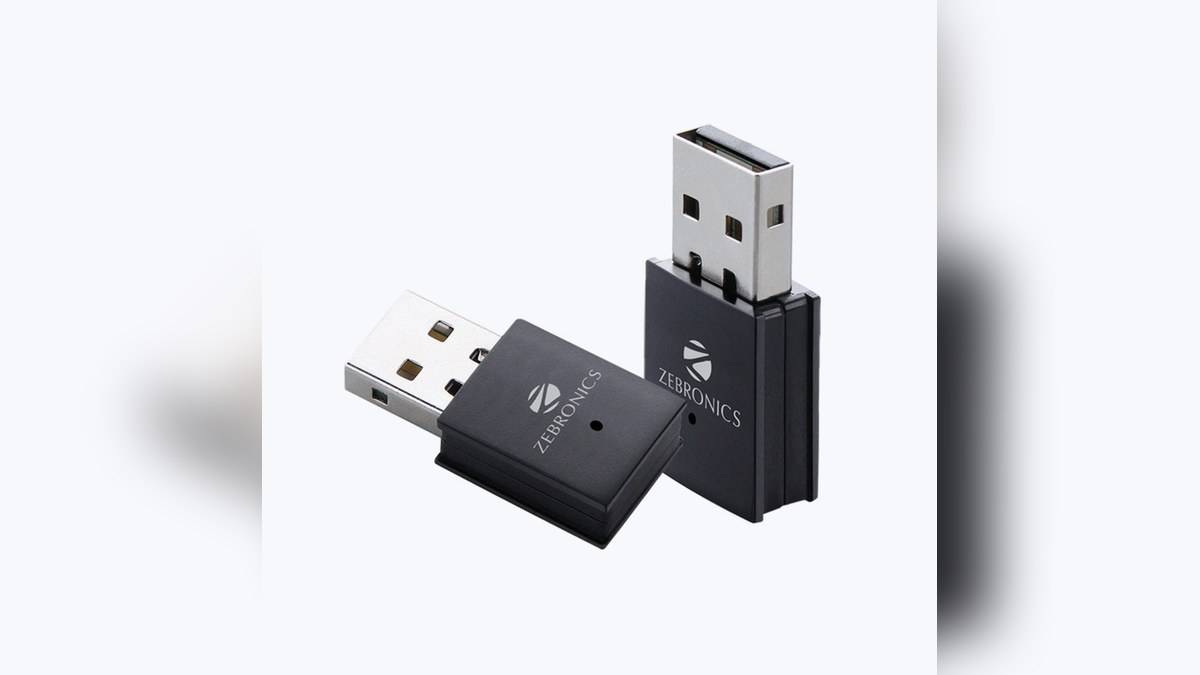
NEW DELHI: The Zeb USB300WF Wi-Fi USB adapter is listed at Rs 999 on Zebronics' official product page. It is a small computer networking accessory with a stated wireless rate of up to 300Mbps, USB connectivity and a hotspot mode. The important compatibility checks concern the computer's software and the wireless network it will join.
| Item | Official listing |
|---|---|
| Official listing | USB300WF; Rs 999 |
| Wireless specification | IEEE 802.11 b/g/n client; up to 300Mbps |
| Computer interface | USB; USB v2.0 high-speed compliant |
| Security advertised | WPA/WPA2; WPA-PSK/WPA2-PSK (TKIP/AES) |
| OS wording | Windows XP and above, Mac OS, Linux |
| Size and weight | 33 x 15 x 8 mm; 3.2g |
| Additional mode | Access point mode for hotspot |
Price as of 20 November 2026, 10:56 IST. Zebronics lists these prices with tax included.
What the official listing establishes
Zebronics' official USB300WF page names IEEE 802.11 b/g/n client support and a USB interface compliant with USB v2.0 high-speed mode. These are separate specifications: one describes the wireless connection, while the other describes the connection to the computer. Neither figure should be read as a measured internet download speed.
The listing does not provide a set of priced capacity or colour variants. This guide therefore reports the single USB300WF listing, rather than inventing a range. Take care with the full model identifier when comparing paperwork or downloading software, since a similar-looking name does not by itself establish identical hardware or driver support.
The page gives the adapter's dimensions and weight, which are useful for understanding its compact physical design. Before fitting it to a computer, check the available USB socket and the space around neighbouring connectors. A small adapter still needs an accessible position, particularly when the computer is under a desk or behind other equipment.
A computer connection, not a whole-home upgrade
The USB300WF makes sense as a device-level networking accessory. Adding an adapter to a computer should not be described as upgrading the wireless capability of every television, camera or phone in the house. Each of those devices continues to depend on its own connection to the home network.
This distinction is useful in a household where an older desktop sits in a room without an Ethernet cable. First establish whether the problem is missing wireless hardware, a software issue or poor coverage at that location. The product page cannot tell which problem affects a particular computer, and the adapter price is not evidence that replacing hardware will resolve it.
For a fair connection check, use the computer in its intended position and keep the home network conditions in view. Walls, the router location and other traffic can influence the result. We have not tested this adapter's throughput, latency or range, and the official listing does not provide measured results for an Indian home layout.
Read the operating-system claim narrowly
The brand lists Windows XP and above, Mac OS and Linux under supported operating systems. It does not identify every release, computer architecture or required driver package in the readable specification. Treat that broad wording as a starting point for a compatibility enquiry, rather than a guarantee that every current system will work immediately after insertion.
Before changing a working network connection, locate the exact-model software and installation instructions needed by the computer. Keep a way to retrieve those instructions if the machine is temporarily offline. On a shared household computer, record which settings were changed so that another user can understand the setup later.
The opened page does not promise driver-free installation or list support for arbitrary televisions and set-top boxes. A USB socket on an appliance is not enough evidence of compatibility. If the intended host is something other than a supported computer, obtain confirmation for that exact device rather than assuming the dongle works wherever it can be plugged in.
Hotspot support has a separate purpose
Zebronics lists access-point mode for a hotspot among the features. That establishes an advertised operating option, not a promise of a standalone internet connection. Check the software instructions for the host computer, its existing network connection and the intended sharing arrangement before planning to use this feature.
The security section names WPA and WPA2 support. Use the settings supported by both the adapter and the router, and check the resulting connection in the computer's network controls. The listing does not establish newer security features beyond those named. It would be misleading to add them to this model's specification simply because they appear on a newer router.
For wider home-network context, our Zeb NETWIZ300A guide: Rs 3,199, 300Mbps and three network modes discusses a separate router, the Zeb 24PG2UG2UF 300 vs 16PG2UG1UF 300 price: 16PG starts lower at Rs 14,999 covers a different network role, and the Zeb 36CHV2S8TA8M price: Rs 26,999 for a larger IP CCTV system examines another link between advertised wireless rates and network connections.
The Rs 999 figure is the visible official adapter price, not a broadband plan or a complete network quotation. The strongest handover check is simple: confirm that the exact computer recognises the adapter, joins the intended network and remains usable in its normal position. Keep the model details and invoice with the software instructions for later troubleshooting.
Official sources: Zebronics USB300WF product page.