
To cancel UPI AutoPay, open the UPI app in which you originally authorised the mandate, find AutoPay or Mandates, select the instruction and choose Cancel or Revoke. Complete the confirmation requested inside the app, then check that its status has changed. Cancellation stops future automatic debits under that instruction. It does not automatically refund money already paid, and some loan repayment mandates have a different cancellation route.
| Question | What to check |
|---|---|
| Where is the mandate? | The UPI app used for authorisation |
| Which action ends it? | Cancel or Revoke, followed by confirmation |
| Are old payments refunded? | No automatic reversal |
| What about loan repayments? | Some require the merchant's cancellation process |
How to cancel UPI AutoPay in your payment app
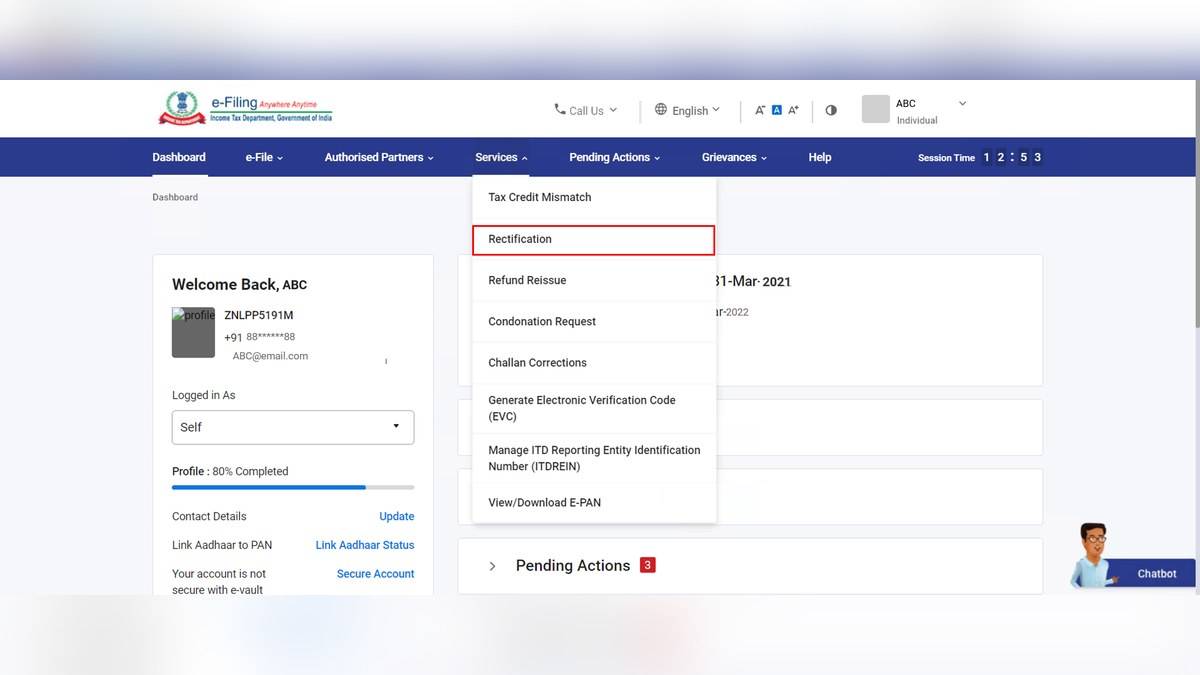
HDFC Bank's official cancellation guide says to begin in the application used to create the instruction. Open its profile or settings area and look for AutoPay, Mandates, Subscriptions or Auto Payments. These labels vary across applications, so a missing menu with one exact name does not prove that no mandate exists.
Open the active or live instructions and inspect the merchant entry. Match the service name, linked bank account, payment frequency and next payment information shown on the screen. If you have authorised more than one subscription with the same business, make sure you are selecting the instruction you intend to stop. Keep the mandate reference alongside the cancellation confirmation.
The bank's guide describes selecting Cancel or Revoke and entering the UPI PIN to authorise cancellation. Do that only within the genuine payment app's own confirmation flow. After submission, return to the mandate list and read the status. A request screen and a completed revocation are different stages; the evidence you need is the final status or acknowledgement.
Does cancelling a subscription also cancel its UPI mandate?
The service provider's subscription settings and the UPI payment instruction deserve separate checks. HDFC Bank describes a merchant route through account settings, subscriptions or billing, where a customer can cancel a subscription or turn off renewal. It also recommends checking the UPI app afterwards to confirm that the mandate shows Cancelled or Revoked.
For example, imagine a hypothetical monthly entertainment subscription. Turning off its renewal addresses the service provider's next billing request. Revoking the matching payment instruction addresses the authority for automatic collection. Recording both outcomes makes it easier to explain a dispute if another debit appears. Menu wording and the order of confirmation will depend on the provider.
A pause is another option shown in the bank's guide, but it should not be read as permanent cancellation. Read the period and conditions displayed by your application before accepting it. If your intention is to end the instruction altogether, check for a cancellation or revocation result rather than relying on a temporary pause message.
Why can a loan repayment mandate be different?
The detailed HDFC Bank guidance includes an exception that its broad cancellation FAQs can obscure. It says cancellation through a UPI app is not allowed for certain merchant categories, including debt collection and loan repayment, and directs customers to the relevant merchant. A missing Revoke button on such an instruction therefore needs examination of the repayment arrangement.
Stopping an automatic collection instruction does not itself settle the underlying loan or cancel an amount contractually owed. The repayment schedule and payment method are separate matters. Before changing either, establish how any amount still due will be collected and retain the provider's written confirmation of the replacement arrangement. This avoids confusing payment administration with debt closure.
Will UPI AutoPay cancellation refund a previous debit?
No. HDFC Bank explicitly separates future payment cancellation from completed payments. If a debit has already gone through, examine that transaction and the merchant's refund process separately. State the debit date, amount and transaction reference when describing the problem. A mandate reference identifies the instruction, while a payment reference identifies a particular collection.
If the issue instead involves a failed payment with an account debit, the applicable payment complaint is different. Our guide to failed UPI payments and refund complaints explains that distinction. Neither an ordinary merchant refund request nor revocation should be treated as proof that a payment failed.
What if the mandate is missing or another debit is near?
First check the application used for the original authorisation, rather than assuming every app shows the same list. Search its active mandates and the merchant's billing records. HDFC Bank advises cancelling ahead of the scheduled collection and checking the final status. Avoid relying on a last minute request when the next collection may already be in progress.
Google Pay's official AutoPay help also describes reviewing an upcoming debit notification and pausing or cancelling through its secure flow. Its account closure guidance requires active mandates to be revoked first. Removing an application is therefore a poor substitute for checking the payment instructions held against the account.
Other UPI facilities answer different questions. Read the UPI Lite balance and payment limit explainer for small payments, and the UPI Circle delegation guide for delegated spending. For recurring payments, the useful final record is the particular mandate, its completed status and any separate subscription cancellation.