
NEW DELHI: Toyota Rumion buyers looking for the 17.78 cm Smartplay Cast touchscreen and wireless Android Auto or Apple CarPlay should look at G and V grades. Toyota's official brochure assigns that equipment to both grades, while S uses an audio screen with touch buttons. Bluetooth, phone projection and remote vehicle commands are separate capabilities, so check each before choosing a grade.
| Rumion equipment | Official grade detail |
|---|---|
| 17.78 cm touchscreen and wireless phone projection | G and V |
| Audio screen with touch buttons | S |
| Bluetooth and steering audio/calling controls | S, G and V |
| Remote climate control | Automatic variants only, within equipped grades |
| Seating | Seven |
Read the audio rows before the feature photographs
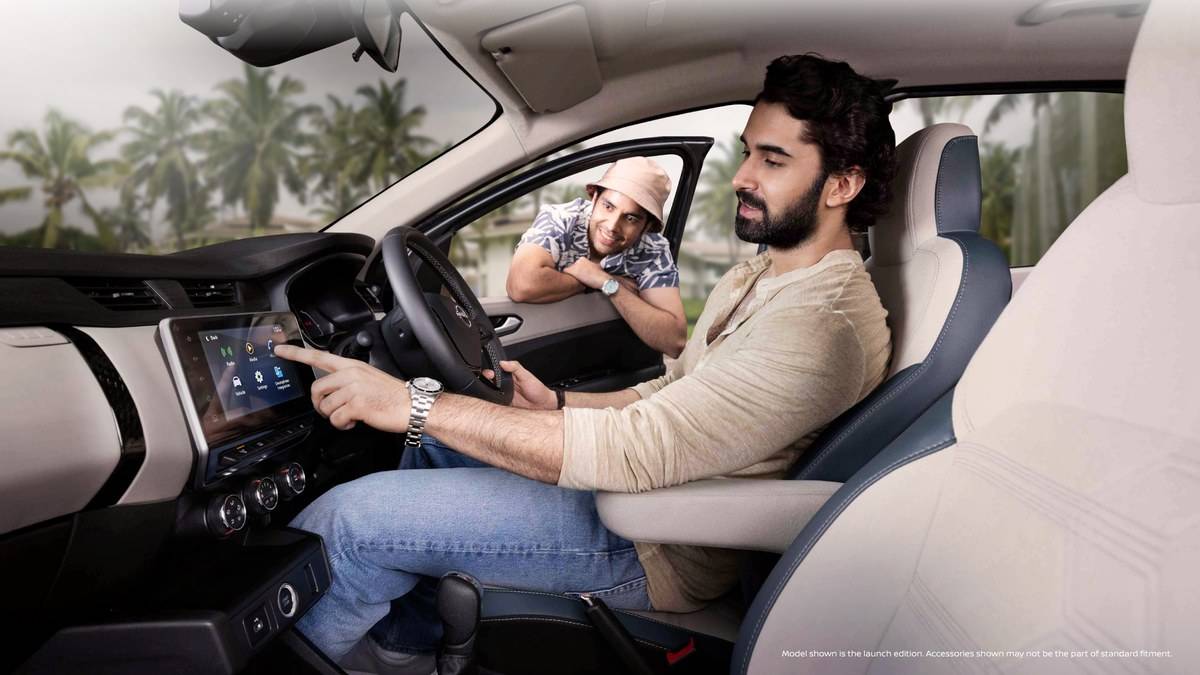
Start with the brochure's grade table, rather than the large dashboard photograph. Its columns group E MT, the S versions, G versions and V versions. Follow the chosen column through infotainment and Toyota i-Connect. A feature illustrated elsewhere in the brochure should not be treated as equipment on every Rumion.
This matters to a family comparing an S automatic with a G manual. The transmission choice and infotainment choice do different jobs. Someone who wants easier progress through traffic might prioritise the automatic, while another driver might value familiar phone navigation on the built-in screen. Write those requirements separately before comparing quotations, rather than assuming that a higher purchase amount necessarily buys the preferred combination.
The E column does not receive the listed factory infotainment equipment. S has Bluetooth, speakers and steering controls but does not receive the G and V wireless projection entry. Ask for a demonstration of the equipment fitted to the actual grade under consideration, especially if the display vehicle has dealer accessories.
Try your own phone while the car is parked
Bring the phone normally used for navigation, along with its usual cable. With the car stationary, ask for a demonstration of pairing, a navigation destination and a call through the steering controls. Check the complete everyday task, including whether text is readable from the adjusted driving position, rather than simply confirming that a menu opens.
Toyota cautions that application features and displays can vary with the operating system or smartphone. A demonstration with someone else's handset is therefore a limited check. A household sharing this seven-seat MPV should decide whose phone normally supplies directions. Test the changeover while parked, without assuming an automatic switching sequence that Toyota has not documented here.
For the gearbox question, see our Rumion automatic variant guide. It helps keep transmission availability distinct from the screen and connected features being checked here.
Check remote functions as a separate service
The brochure lists i-Connect remote checks and controls, smartwatch and Siri compatibility, security alerts and Service Connect under G and V. Its remote climate-control footnote is restricted to automatic variants. A manual Rumion having the touchscreen does not establish that it can perform the same remote climate task as an equipped automatic.
Toyota's i-Connect FAQ distinguishes ownership services from connected vehicle functions. Vehicle connectivity requires an equipped connected device; downloading the app alone does not add that hardware. Before delivery, ask for a demonstration of the functions supported by the particular vehicle and clarify its service entitlement. Keep the explanation with the sales documents so another family member can understand it later.
The FAQ says connected remote features are complimentary for three years from vehicle purchase. It separately describes maintenance, insurance and loan ownership functions as free. Ask about the continuing terms for the connected service, rather than assuming every function remains complimentary for the whole ownership period. No renewal amount is being quoted here.
Build a handover check around family use
Remote commands need a good network connection, and Toyota says a parked vehicle's sleep state can delay its response. Try the app where the car normally parks, then distinguish a delayed response from a missing entitlement or unsupported function. Avoid repeating commands without checking what the vehicle has actually done.
For a shared family car, the useful handover is one in which the regular driver can pair a handset, select navigation, use the steering calling controls and explain which remote functions the vehicle supports. Ask about removing personal information before a future change of ownership. Keep the screen demonstration, connected-service terms and accessory invoice together.
Make a separate note of anything the dealership proposes to install after delivery. Ask whether the proposed unit retains the controls and functions you have just tested. A generic promise of a touchscreen is less useful than a written description of the equipment, installation and support included in the quotation.
Other ownership questions are covered in our Rumion warranty claim guide and Rumion CNG tank explainer. Neither establishes that a particular audio or remote-control feature is fitted.
Official sources: Rumion brochure, Toyota i-Connect FAQ and Rumion showroom.