
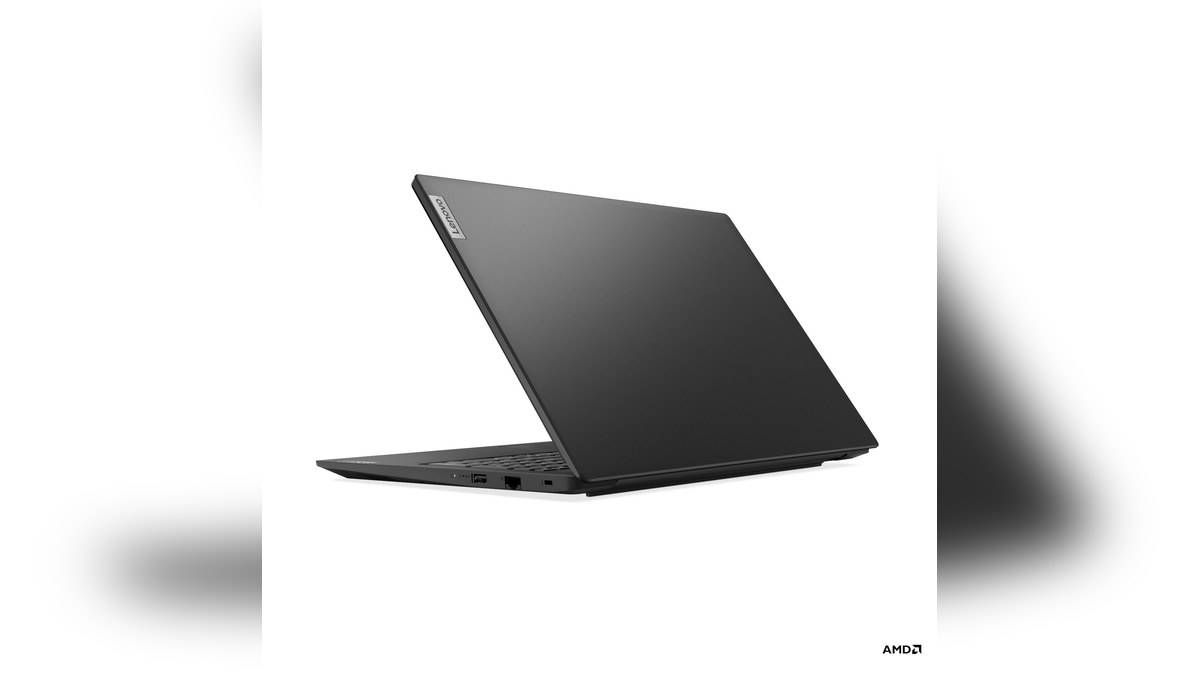
NEW DELHI: Lenovo lists the V15 Gen 4 AMN, model 82YUA01CIN, at Rs 59,990 on its official India store, including shipping and taxes. The configuration has a Ryzen 5 7520U processor, 8GB soldered memory and a 512GB SSD. Its specification table also identifies a TN display and no fingerprint reader, details that matter when comparing it with other office laptops carrying the V15 name.
| Configuration detail | 82YUA01CIN |
|---|---|
| Displayed price | Rs 59,990 |
| Processor | AMD Ryzen 5 7520U |
| Memory | 8GB LPDDR5-5500, soldered |
| Storage | 512GB M.2 2242 SSD |
| Screen | 15.6-inch FHD, 1920 x 1080, TN, anti-glare, non-touch |
| Panel specification | 250 nits, 60Hz, 45% NTSC |
| Operating system | Windows 11 Home Single Language |
| Graphics | Integrated Radeon 610M |
Price as of 27 November 2026, 23:38 IST. This is a guide to the verified AMN configuration, not a claim that every V15 variant has this price or equipment. Lenovo uses the V15 name across different platforms. A quotation should therefore include both the platform suffix and the complete model code, rather than just the family name.
A familiar office format with specific limits
According to Lenovo India's product listing, this V15 has a numeric keypad, webcam privacy shutter and a service shortcut intended to expose device and warranty information. These are practical features for a machine used at an accounts desk or for household paperwork. They help explain the product's purpose more directly than the broad promise of being suitable for multitasking.
The screen calls for a closer look. FHD identifies the pixel count; TN identifies the panel technology. Neither term makes this the same display as an IPS-equipped V15 elsewhere in the range. Someone who regularly shares a screen across a desk should try the viewing position they actually use. A display can look acceptable head-on while being less convenient for showing work to another person.
The listed colour gamut also keeps expectations grounded. This is a general office specification, not evidence of a display prepared for colour-critical production. A business preparing product photographs or visual proofs should assess its colour requirements separately. The relevant question is whether the panel suits the task, rather than whether the laptop is described as a business model.
The RAM cannot be treated as a later upgrade
Lenovo's current official platform reference confirms that the AMN family uses soldered memory with no memory slots. That makes the supplied capacity a lasting constraint. A buyer should not assume that an ordinary service visit can turn this configuration into a larger-memory version. The motherboard design matters more than whether the case can be opened.
For a shared office computer, think through the busiest normal session: browser tools, an accounting package, a document editor and a meeting application may all be needed together. This guide does not attach an invented performance score to that workload. It identifies why the expected application mix should be checked before choosing fixed memory, especially if the computer will serve several staff members over time.
The SSD label and the actual storage connection
The SKU listing describes a PCIe Gen4 SSD, while Lenovo's platform reference specifies a PCIe 3.0 x2 storage slot. Those descriptions refer to different parts of the storage path. A drive's interface capability should not be presented as the sustained speed of the whole laptop. The official reference also describes a single drive arrangement, so an extra empty SSD bay should not be assumed.
This is a useful distinction for anyone planning to keep large local archives. Establish the expansion method before buying a replacement drive. A capacity upgrade may mean replacing the supplied SSD and moving the working installation, rather than adding another drive beside it. External storage and a proper backup arrangement remain separate decisions from the laptop's internal capacity.
Ports, power and security
The platform reference lists Ethernet, HDMI, USB-A and a USB-C port supporting data, DisplayPort and power delivery. That offers several ways to attach existing office equipment. It does not mean every cable or dock can do everything: check the monitor input, charging requirements and connected peripherals together when planning a desk setup.
The India SKU specifies a 38Wh battery and a 65W adapter. These are component ratings, not a verified runtime claim. Lenovo also lists a one-year onsite warranty. No fingerprint reader is included in this configuration, despite the broader expectation that a business laptop may offer one. The physical camera shutter provides a different function and should not be confused with a biometric sign-in feature.
Who this V15 is for
The model makes most sense as a conventional Windows work machine for someone who values the full keyboard layout and straightforward connections. It warrants more caution when the requirement is growing multitasking, shared viewing, creative colour work or dedicated graphics. These are implications of its configuration, not conclusions from hands-on testing.
Relevant alternatives include the Lenovo Idea Tab Plus vs Idea Tab price: Idea Tab starts lower at Rs 20,998, IdeaPad Gaming 3 price list: Rs 60,690 to Rs 72,990 and Lenovo Legion Tab at Rs 36,000: identify Gen 2 before comparing gaming tablets. Compare the actual panel and memory arrangement in those separate guides before comparing only the headline price.
Official sources: Lenovo India V15 listing and Lenovo V15 G4 AMN specification reference.