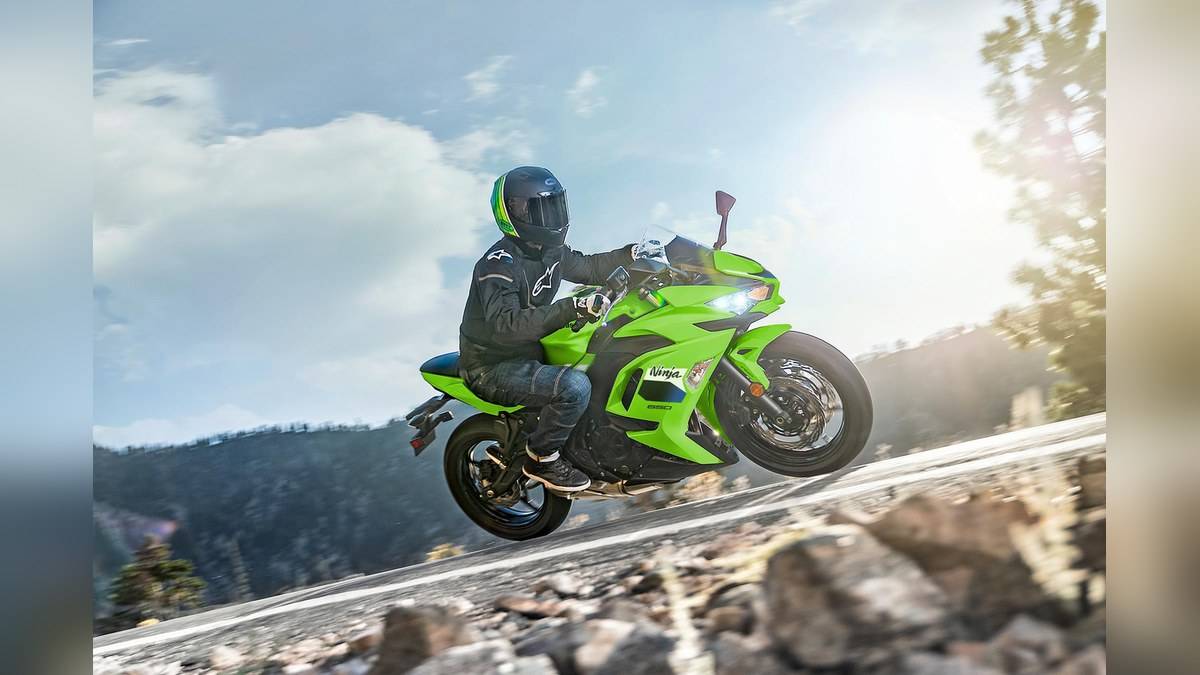
NEW DELHI: The Kawasaki Ninja 650's phone connection uses RIDEOLOGY THE APP and a Bluetooth chip in its instrument panel. Its 2 KTRC traction-control modes are a separate motorcycle feature. Owners should not read Kawasaki's wider app descriptions as confirmation that every connected setting or riding-log field is available on this model.
| Feature | What the official pages establish |
|---|---|
| India model checked | 2026 Ninja 650 |
| Instrument panel | TFT colour display with Bluetooth connectivity |
| Named phone application | RIDEOLOGY THE APP |
| KTRC | 2 modes, with OFF also available |
| App use | Only when the vehicle is not being operated and it is safe |
Start with the motorcycle, then the app
Confirm the year and model on your paperwork before using a connected-feature guide. Kawasaki's India page identifies the Ninja 650 and names the application, but a general RIDEOLOGY page covers a broader range of motorcycles. That difference matters when a screenshot shows a control that does not appear on your own phone. Begin with the model's handbook and the application identified for it.
Record the phone type, operating-system version and app version before troubleshooting. These are useful diagnostic details to take to the workshop, rather than evidence that one component has failed. If you are preparing a new handset, establish a working connection while parked before relying on it for a journey. Do not make a roadside stop the first opportunity to learn the interface.
Understand the information categories
Kawasaki describes vehicle information such as odometer, fuel and maintenance information in its RIDEOLOGY explanation. It also describes riding logs, including routes and other recorded data, while qualifying that the contents vary by model. Treat those categories as a checklist to explore on your connected motorcycle, not as an entitlement to every data field shown elsewhere in the range.
Check an ordinary item you can independently recognise, such as the motorcycle's displayed odometer, when reviewing what the app shows. Note whether the phone is currently connected and whether the information is from a previous session. If a reading appears unexpected, preserve the context before changing settings. A screenshot with a brief note about the connection state is more useful than an isolated image.
The same care applies to riding logs. Before using a record to recall a journey, examine what was actually saved and what is absent. A route line and a list of readings answer different questions. Keep your own essential journey details available if you need them, and avoid assuming a missing field means that the motorcycle failed to operate correctly.
Keep KTRC separate from connected functions
The Ninja 650 product page describes selectable traction control independently of its smartphone feature. Kawasaki's general connectivity text also mentions settings that exist only on certain models. The presence of those examples does not establish remote adjustment of the Ninja's traction control or the availability of electronic suspension. Ask for a model-specific demonstration before treating any such function as fitted.
This is especially relevant on a faired road motorcycle whose cockpit can look more sophisticated than the application screen explains. The Ninja's TFT, warning information and rider controls belong to the motorcycle's operating instructions. A phone adds another interface, but learning it should follow familiarisation with the dash itself. Ask the service adviser to distinguish motorcycle settings from phone preferences during handover.
Use a clear troubleshooting record
If the connection is unreliable, describe which part of the process fails. Does the app fail to find the motorcycle, fail to complete a connection, or connect without showing the expected information? Note whether it worked previously and what changed since then. Those distinctions help a technician investigate the actual problem without guessing from the broad complaint that Bluetooth does not work.
Use the handbook's instructions for the connection process and follow the current prompts in the official application. Avoid copying a reset sequence from another Kawasaki model. Before clearing a device or reinstalling software, check what information you need to retain and what the official instructions require. The India product page is a feature description, not a complete substitute for a pairing manual.
Kawasaki expressly says the app is for use when the vehicle is not being operated and it is safe to do so. Build that into the routine: inspect the connection and choose any supported preferences before setting off, then review the record after stopping. If a function disappears during a ride, leave diagnosis until you are safely parked.
Related cockpit reading includes the Kawasaki Ninja 300 and Ninja 500 2027 price in India: Rs 3.34 lakh and Rs 5.76 lakh, Kawasaki Ninja 1100SX vs ZX-6R price: ZX-6R starts lower at Rs 12,49,000 and Kawasaki 650 price: Z650 Rs 7,26,000, Ninja 650 Rs 7,91,000, Versys 650 Rs 8,63,000. These systems use their own controls and instructions.
Official sources: 2026 Ninja 650 India page and Kawasaki RIDEOLOGY explanation.