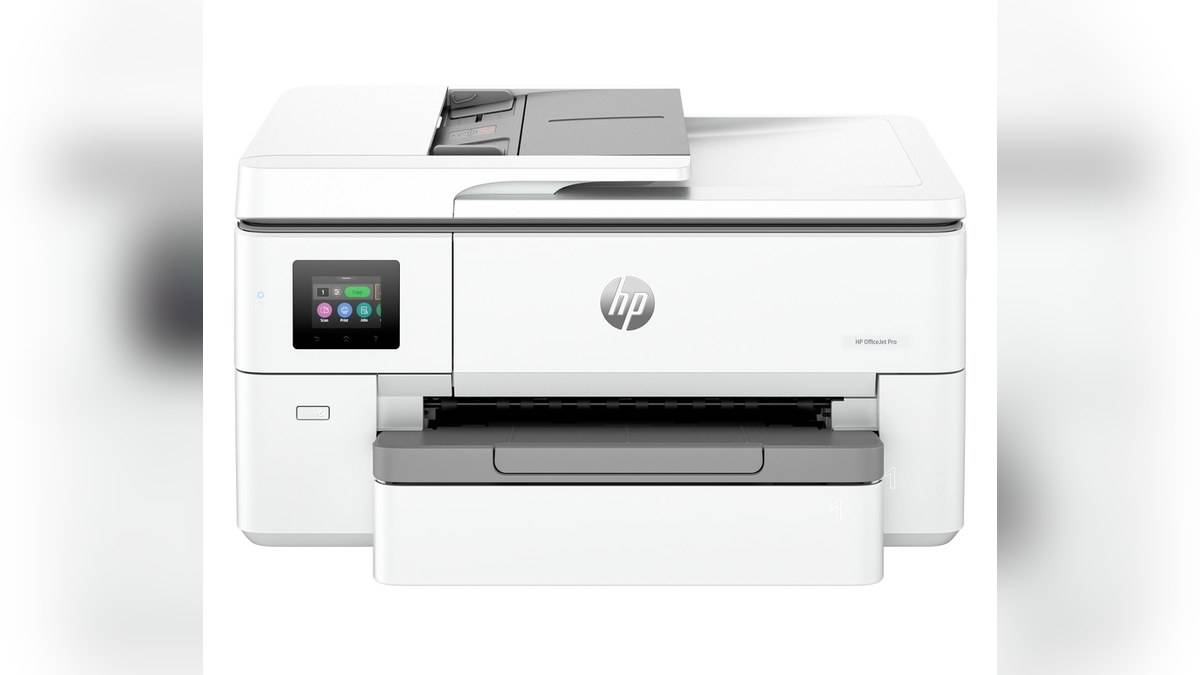
NEW DELHI: The HP OfficeJet Pro 9720 supports A3 printing, but its official specification limits both the flatbed and document-feeder scan area to 216 x 356 mm. Automatic two-sided printing is specified for A4 and Letter. The wide-format label therefore needs to be read separately for printing, scanning and duplex work.
| Operation | Official limit or feature |
|---|---|
| Model code | 53N94C#ACJ |
| Print media | Includes A3 |
| Flatbed scan maximum | 216 x 356 mm |
| ADF scan maximum | 216 x 356 mm |
| Automatic duplex print | A4 / Letter |
| Document feeder | 35 sheets |
| Duplex scan | Not supported |
Start with the job, not the wide-format label
An A3 output job starts with a digital file and ends with a larger sheet. An A3 copy starts with a physical original that must first pass through a scanner. Those routes require different hardware capabilities. The 9720's print support cannot by itself establish that the original will fit its scanning area.
That is a consequential distinction for a design studio sharing presentation layouts with clients. A digital presentation can be prepared for a larger print size, while a marked-up paper original may require a different capture route. Establish how revisions enter the workflow before allocating the machine a permanent role in the studio.
For paperwork, compare the physical original with the published scan dimensions before placing it on the glass or feeder. If an edge lies outside the capture area, the printer's ability to hold larger output media does not recover it. Check the saved scan for missing margins, notes and signatures before passing it on.
Set the paper size and the task independently
HP's India specification lists A3 among supported media sizes and gives a custom media range up to 297 x 420 mm. It separately lists automatic duplex printing for A4 and Letter. An A3 option in a paper-size menu should therefore not be read as confirmation of automatic A3 duplex support.
Before a full print run, inspect the document's page setup and the printer's selected paper size. A larger physical sheet is not a substitute for an intentional layout choice. Decide whether the file should remain at its designed scale or be resized, then inspect a sample for clipping, unexpected white space and readable small text.
Keep a record of the settings used for an approved proof. For work that returns for revisions, that record helps separate a changed file from a changed print setup. It is particularly useful where the same desk alternates between ordinary correspondence and larger presentation sheets, each with its own expectations for layout and margins.
The feeder does not add automatic two-sided scanning
The 35-sheet ADF is useful for suitable loose originals, but HP lists duplex scanning as unsupported. Automatic output duplex and automatic capture of both sides are separate functions. For an original carrying information on its reverse, verify the resulting file includes that content rather than assuming the duplex print setting covers scanning too.
This matters in a mixed office packet containing a cover letter, an annotated plan and supporting forms. The final digital file should follow the intended reading order and preserve the information on each original. The feeder's stack capacity only describes how paper can enter; it does not confirm that the finished archive is complete.
Distinguish rated capacity from a routine workload
The official technical sheet specifies a 250-sheet input tray and a recommended monthly print volume of 250 to 1,500 pages. Its much larger duty-cycle figure is not an ongoing monthly workload recommendation. Use the recommendation when assessing normal office demand and allow for people changing paper types between jobs.
The sheet also lists A4 ISO speeds up to 22 ppm in black and 18 ppm in colour. Those are A4 figures, not verified A3 throughput claims. A team scheduling presentation work should avoid applying the smaller-paper rate to every job simply because both sizes appear on the same product page.
What to confirm before making it the office copier
The most useful pre-purchase check is a representative workflow with your own documents. Confirm the original fits, the output size is correct, both sides are handled as intended and the saved file is readable. Include the awkward document your office receives regularly, rather than testing only a pristine sheet that happens to fit every path.
Record the full 9720 model number and India code when comparing quotations or service documents. Closely named wide-format machines can have different scan and paper-handling arrangements. Do not borrow a capability from another model's listing, even when both use the same brand, series styling or wide-format description.
For broader printer context, read our HP Smart Tank 580 vs 585 price: 585 starts lower at Rs 14,999, HP 430 Multi-Device Wireless Mouse price: Rs 2,229 and HP OMEN 24 price list: Rs 14,000 to Rs 18,290. Those separate configurations help frame the distinction between ink systems, scanning arrangements and document workflows.
Official sources: HP OfficeJet Pro 9720 India and HP 9720 technical sheet.