
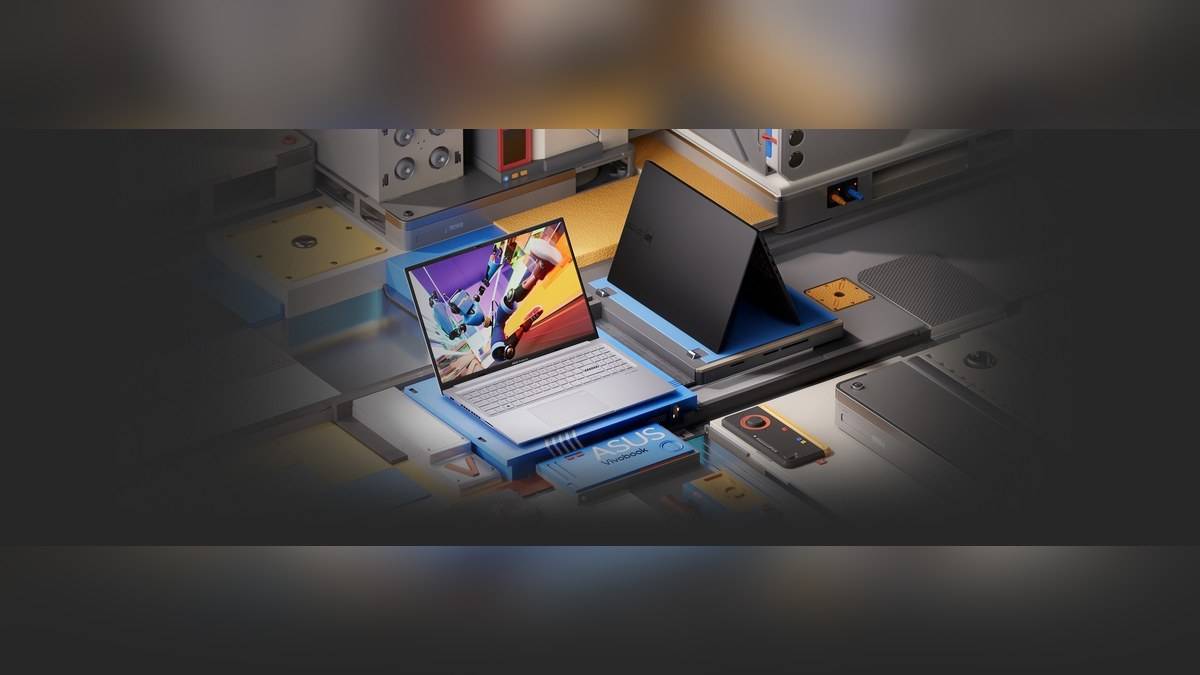
NEW DELHI: The ASUS India store page for Vivobook 16X K3605VC-RP413WS shows an MRP of Rs 89,990, including taxes. Its specified configuration combines a Core i5-13420H, RTX 3050 graphics, 16GB RAM and a 512GB SSD. The fetched page does not display a current selling price, so the MRP should be used as a catalogue reference rather than a checkout quotation.
| K3605VC-RP413WS detail | Official India listing |
|---|---|
| MRP | Rs 89,990, including taxes |
| Processor | Intel Core i5-13420H |
| Graphics | NVIDIA GeForce RTX 3050, 4GB GDDR6 |
| Memory and storage | 16GB DDR4, 512GB PCIe 4.0 SSD |
| Screen | 16-inch, 1920 x 1200, 144Hz, 300 nits |
| Listed warranty | One year |
Price as of 26 November 2026, 23:09 IST. Source: ASUS India's store specification page for part number 90NB11D2-M00JH0. The page marks the product out of stock. No bank discount, EMI benefit or historical search-extract selling figure has been subtracted from that MRP.
Match the code to the graphics hardware
The important letters are K3605VC and the complete RP413WS suffix. ASUS's broader Vivobook 16X overview advertises higher specifications available within the family. Those family maximums do not turn this listing into an RTX 4060 laptop. The specific store table repeatedly identifies RTX 3050 graphics, making the SKU table the relevant description for this configuration.
This distinction matters for a student comparing creator-laptop advertisements with a course's software requirements. Check the application against the named graphics processor and its memory, then against the processor and installed RAM. A general description such as creator laptop cannot establish performance in a particular rendering engine, game or editing project.
The page also has a promotional description referring to a different graphics series. That sentence is not a reason to silently upgrade the specified hardware. Keep a copy of the detailed configuration with any eventual quotation, and resolve inconsistencies before purchase. No benchmark result or application-performance promise is established by this catalogue entry.
Read the display as a complete specification
For this suffix, ASUS specifies an IPS-level, anti-glare panel with a 16:10 shape. The taller working area is useful to consider when arranging an editor above its controls or keeping more of a document visible. The practical test is your own workspace at a comfortable text size, not the word count in an advertisement.
The listed colour gamut is 45% NTSC. The broader family overview's OLED and wide-gamut claims should not be attached to this panel. Someone preparing colour-sensitive work should establish their display requirements separately, including whether an external calibrated monitor is part of the intended setup. Refresh rate and colour coverage answer different questions.
For a different display and portability balance, the ASUS Vivobook 14 X1404VA price list: Rs 50,990 to Rs 51,990 MRPs provides a related reference. The ASUS Vivobook S16 M3607KA at Rs 98,990: the OLED work laptop explained is useful when comparing a smaller general-purpose laptop against this larger design.
Memory expansion needs the installed layout
The official store describes memory split between onboard RAM and a SO-DIMM module, with expansion supported to 24GB. This is not the same arrangement as a laptop whose entire memory can be replaced. Before budgeting for an upgrade, establish which module would be removed, what the supported replacement is and who will fit it.
Storage capacity is a separate planning question. Keep local applications, source material and exported projects in the same estimate, then decide whether the supplied drive suits that workflow. The presence of an SSD does not make cloud storage an interchangeable replacement for local project space, particularly where files must remain available without a connection.
The 1.80kg listed weight is another practical distinction from a small travel laptop. The keyboard includes a number pad, while the webcam is specified as 720p with a privacy shutter. These details make the model worth assessing as a complete desk-and-meeting setup, rather than judging it solely by the discrete graphics badge.
Check the desk connections and included software
The configuration includes USB-C with Power Delivery support, USB-A connections, HDMI, an SD card reader and a separate DC input. ASUS lists a 120W adapter in the box. Plan to use that supplied adapter as the baseline; the USB-C label alone does not establish that an arbitrary charger can sustain the same workload.
The listed bundle separates Office Home 2024 from Microsoft 365 Basic cloud benefits. ASUS says bundled Microsoft and Windows application benefits must be redeemed within 90 days of initial setup. Keep that deadline with the purchase paperwork and check the included entitlement on the actual device, rather than assuming every service has the same duration.
The page's Adobe redemption date has already passed, so that promotion is excluded from this guide. For an alternative gaming-oriented configuration, see the ASUS Vivobook 14 X1407QA ports explained: two USB4 connections. Compare its complete hardware and support package separately. For this Vivobook, a future selling quotation still needs to identify RP413WS and distinguish its actual charge from the published MRP.
Official sources: ASUS India SKU listing and ASUS Vivobook 16X family overview.