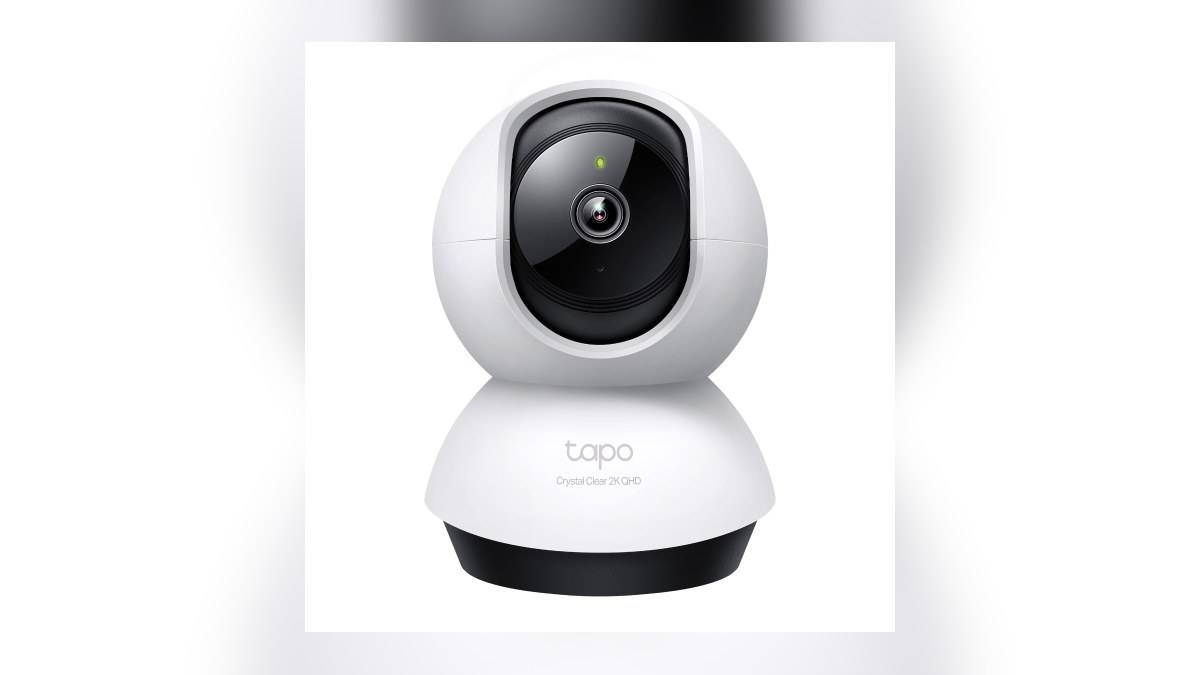
NEW DELHI: Tapo C220 owners should configure detection, recording and phone notifications separately when setting up the 4MP indoor camera. TP-Link lists motion tracking and custom activity zones, but its official instructions make clear that enabling detection is only part of the job. A useful home test checks whether the right event is noticed, saved and brought to your attention.
| Item | Official detail |
|---|---|
| Camera | Tapo C220, 2560 x 1440 resolution |
| Network | 2.4 GHz Wi-Fi |
| Local recording | microSD card up to 512 GB, sold separately |
| Cloud option | Tapo Care subscription |
| Setup route | Camera card, Live View, Device Settings, Detection |
Start with the event you need to know about
For a camera overlooking an entrance from inside a flat, a practical starting question is whether you need an alert when somebody enters, when a pet moves, or whenever anything changes in view. Write that purpose down before enabling every available option. Otherwise, evaluating the installation becomes a contest over how many alerts arrive rather than whether they help.
The C220 product page lists person and pet detection alongside ordinary motion detection. It also labels some capabilities as beta in its overview. Treat the options available on your own camera as the working list, rather than assuming every category mentioned in marketing will appear identically on every hardware and software combination.
TP-Link gives a direct route into configuration: open the camera card in Tapo, enter Live View, tap the settings gear and open Detection. Choose the relevant detection types, sensitivity and detection zones. The company lists C220 among the models covered by this guide.
Make a deliberate test of the doorway
As an editorial setup suggestion, have a household member walk through the intended entrance while somebody watches the app. Repeat the movement along the edge of the frame. The purpose is to discover whether the chosen view actually includes the path you care about, before interpreting a missed alert as a camera failure.
Custom zones deserve particular attention in a combined living and dining room. You may want to include the approach to the front door while excluding routine movement near the sofa. Sketch the desired area around the actual walking route. A zone that follows furniture edges neatly can still miss somebody who approaches from an unexpected direction.
Activity zones and privacy blocks have different jobs. The C220 page describes privacy zones as excluded recording areas, while its detection guide uses detection zones to select where activity matters. Decide whether you want to avoid an alert or avoid recording a private space before choosing the control.
Check the saved clip as well as the notification
TP-Link says event clips can be saved through an active Tapo Care subscription or locally when local recording is enabled. On C220, its product page identifies a microSD slot with support up to 512 GB. Buying a camera does not mean a card is already installed, and receiving an alert is not a substitute for checking playback.
The official guide sends owners to Playback & Download from Live View to inspect detection recordings. Use the household walk-through to check that the saved event contains the useful part of the movement. If your aim is to understand who entered, a successful notification alone does not answer whether the recording captured that moment clearly.
For the storage choices on another indoor model, see our Gadget and accessory price guide. That article is a separate model reference, so its settings should not be copied blindly onto the C220.
Keep phone alerts and the camera alarm intentional
The same official detection guide treats push notifications and the camera alarm as separate choices. Enable phone notifications if you want the handset to warn you; decide independently whether a sound or light alarm suits the room. In a shared home, a camera looking over a normal family route needs a different response from a device watching an unused entrance.
Run the test while carrying the phone as you normally would, then review both the message and the saved footage. Change a setting only after identifying what went wrong. Was the event absent from playback, was it recorded without a useful alert, or was the alert simply irrelevant? Those observations give you a clearer next step than repeatedly raising sensitivity.
Indoor monitoring also needs agreement about where recording is acceptable. Our Tapo C210 storage setup: check the 512 GB limit and recording mode discusses another model, while the Tapo C225 privacy guide: 3 ways to stop video and audio covers entrance hardware. For the C220, finish by repeating the chosen doorway test and checking its own detection, recording and notification settings together.
Official sources: Product information, Official supporting information.