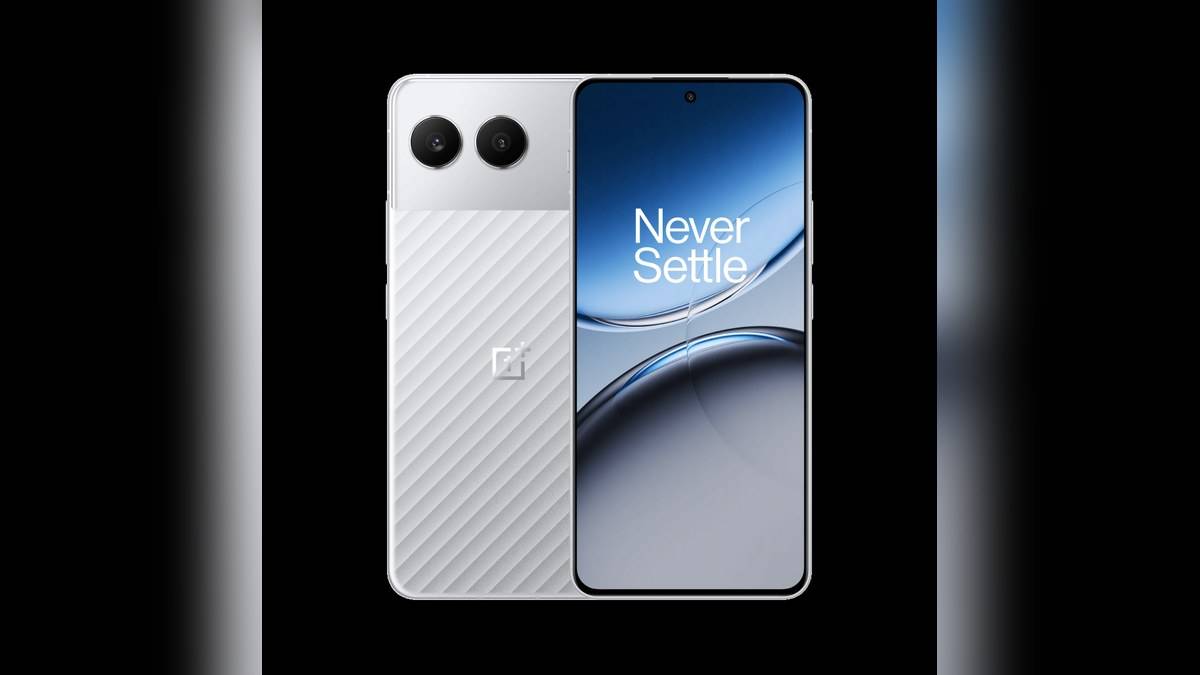
NEW DELHI: OnePlus Nord 4 is promised at least four generations of Android OS upgrades and six years of security updates, with the period measured from the phone's launch date. Buying the handset later does not restart that clock. Owners checking support should distinguish the commitment from the software build and security patch actually installed on their device.
| Support question | Official position |
|---|---|
| Android upgrade commitment | At least four generations |
| Security-update commitment | Six years from launch |
| Original listed software | OxygenOS 14.1 based on Android 14 |
| India memory configurations | 8GB + 128GB, 8GB + 256GB, 12GB + 256GB |
| Storage types | UFS 3.1 at 128GB; UFS 4.0 at 256GB |
| Google's general update preparation | Wi-Fi connection and at least 75% charge |
Count from launch, not the invoice
The support footnote on the India specification page is the key reference because it names the starting point. This matters for a phone bought after its initial release, including one passed between family members. A new invoice or a change of owner does not turn a product-wide launch-based commitment into a fresh support period.
It is also useful to separate the two parts of the promise. Android generations describe major platform upgrades. The security-support duration describes a different commitment. Adding the two figures together would produce a misleading support period, while treating the longer security period as a promise of annual major Android upgrades would misread the wording.
For a household planning to keep a Nord 4 for several users in succession, write down the model's support terms alongside the purchase documents. That is more useful than remembering a phrase such as long software support. It preserves the condition that matters when the device changes hands and the original shopping decision is no longer fresh.
Look at the installed software separately
The specification sheet lists the phone's original OxygenOS and Android baseline. That is a product specification, not a live reading of every Nord 4 currently in use. A handset that has received updates may show something different. Conversely, a phone that has been offline should not be assumed current merely because its model remains within a promised support period.
Google's Android Help page says Settings contains the Android version, Android security update, Google Play system update and build number. Its general route is About phone followed by Android version. Labels can differ on a manufacturer's interface, so use the equivalent information visible on your handset rather than assuming that every Android phone has identical menus.
Record those fields individually before asking about a missing update. A platform version alone does not tell a support adviser which build you are running. Keeping the security-patch field separate also prevents a conversation about a major OS release from obscuring a different question about the device's installed security status.
Use the phone's official update route
Google advises connecting to Wi-Fi and charging to at least 75% before updating. Its help instructions direct users to the software-update section in Settings and the on-screen prompts. These are general Android preparation steps, rather than a Nord 4-specific claim about download size, installation duration or the newest available release.
Set aside a convenient period to inspect the update notice and its instructions. For a phone used for work calls or travel, that means choosing a moment when you can complete the process without needing to leave halfway through. Keep the notice's description with your software record if you later need to explain what changed.
Google also says update schedules depend on the device, manufacturer and carrier. The six-year commitment therefore should not be converted into an unsupported assertion that every Nord 4 receives each patch on an identical day. This guide verifies the published support promise; it does not declare a particular current build available to every Indian owner.
Memory choice and software support answer different questions
The India sheet lists different memory configurations and a storage-technology distinction between capacities. The support footnote does not assign a longer period to the higher-memory configuration. Read those as hardware choices within the same model, rather than assuming that a larger storage number purchases additional years of Android upgrades.
That is a useful comparison with other specification details which can be easy to merge in a shopping discussion. Our OnePlus Nord 6 Rs 44,999 vs Nord CE6 Rs 35,999 vs CE6 Lite Rs 27,999: price compared examines a refresh-rate claim, while the OnePlus Nord 6 listed at Rs 42,999 in Amazon Great Indian Festival early deals addresses storage technology. Neither describes the Nord 4's update entitlement.
Hardware service is another separate question. The OnePlus Nord Buds 4 Pro listed at Rs 3,999 in Amazon early festival deals concerns preparing a repair claim. A software-support duration should not be read as the same duration of free hardware repairs. For a Nord 4 support query, begin with its model-specific commitment and the installed-software information you have recorded.
Official sources: OnePlus Nord 4 India specifications and support footnote; Nord 4 product overview; Google's Android version and update instructions.