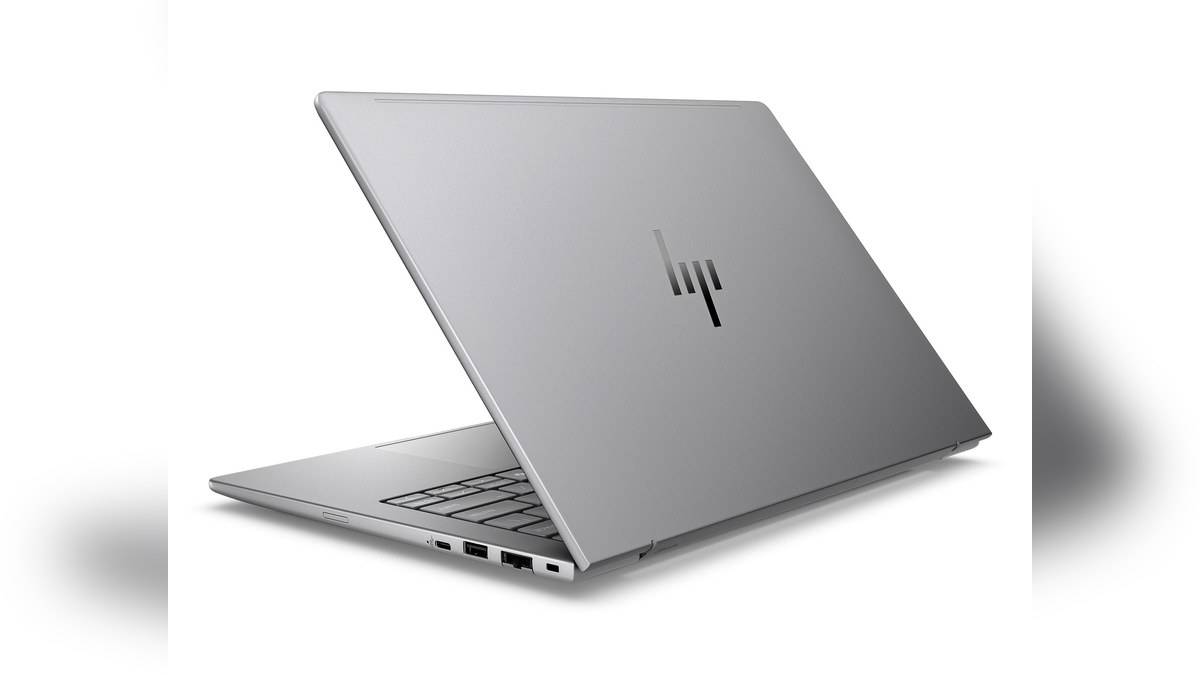
NEW DELHI: Three verified HP ZBook 8 G1i 14-inch Data Science configurations are listed from Rs 2,02,629.60 to Rs 2,62,526.40 on HP's India store, including taxes. The choice is chiefly between integrated or discrete graphics, followed by installed memory. All three listings pair the Intel Core Ultra 7 255H with a 1TB SSD and Windows 11 Pro.
| India SKU | Installed RAM | Graphics | Listed price |
|---|---|---|---|
| DF3J0PA#ACJ | 16GB | Intel Arc 140T | Rs 2,02,629.60 |
| DF3J1PA#ACJ | 16GB | NVIDIA RTX 500 Ada, 4GB | Rs 2,21,745.60 |
| DF3J2PA#ACJ | 32GB | NVIDIA RTX 500 Ada, 4GB | Rs 2,62,526.40 |
Price as of 18 November 2026, 16:05 IST. The table covers the three opened Data Science listings, not every ZBook configuration offered to organisations. The displayed prices are not bank-discount calculations, and the smaller machine should not be confused with similarly named larger-screen or AMD-based versions.
Start with the application, then the graphics
The first decision is whether the intended professional application benefits from the discrete GPU in the two higher-priced configurations. A workstation name does not settle that question. Check the application's recommended hardware, project type and deployment requirements, then match those requirements to the exact SKU rather than to a general ZBook brochure.
The integrated-graphics configuration retains the same named processor, storage capacity and operating-system edition in these listings. That makes it a meaningful alternative for work that does not require the discrete part. It should not be dismissed merely because another configuration carries an NVIDIA badge, nor assumed to perform identically in every professional workload.
The listed discrete graphics allocation is also specific. It is not permission to borrow the GPU specifications of a larger ZBook workstation or a similarly priced gaming laptop. For CAD, visualisation or local compute, establish whether the application and project fit the actual graphics hardware supplied. This article does not claim a benchmark advantage without testing.
Memory is the next configuration choice
HP lists a single memory module in each of the discrete-graphics configurations: the lower one carries the smaller installed capacity, while the higher one carries the larger capacity. Both pages identify SO-DIMM slots and support for dual-channel memory. Installed capacity, occupied slots and a future upgrade plan should therefore be considered separately. HP adds that maximised dual-channel performance requires matching module sizes and speeds, a useful detail for anyone budgeting a later memory expansion.
For an analyst moving between large local datasets, notebooks and other applications, additional memory may be a more useful purchase consideration than a marketing feature unrelated to the work. For a project manager mainly reviewing documents and models supplied by colleagues, the priorities may differ. Ask what remains open during a normal working session.
A portable workstation with an office screen
The reviewed listings specify a WUXGA display. On the discrete-graphics pages, HP identifies an anti-glare IPS panel with 300 nits brightness and a 45% NTSC colour gamut. This is a specification to assess carefully if the same machine will also be used for colour-sensitive creative decisions.
The practical appeal is carrying a professional Windows setup between locations rather than maintaining a fixed workstation everywhere. That does not automatically make this screen the best choice for every visual task. A colour-critical workflow may call for an appropriate external monitor, while field reviews may place greater weight on portability and connections.
Connections, power and deployment
HP lists Thunderbolt, HDMI, Ethernet and conventional USB connections on the discrete-graphics units. A worker moving between an office display and an on-site network should map that arrangement against the actual equipment used. Verify the dock, monitor and cable requirements before assuming a single connector will handle every part of the setup.
Those pages also list a 77Wh battery and a supplied 140W Type-C adapter. Neither figure establishes an unplugged runtime for a demanding application. Plan around the real project and power availability, especially when work involves sustained processing rather than occasional document review. The supplied adapter belongs in the travel plan alongside the laptop.
Who these variants are for
These configurations are relevant to professionals who have a clear software requirement, need Windows Pro and want a compact workstation format. The purchase is harder to justify for routine home browsing or school assignments alone. At this budget, an application's needs and an organisation's support arrangements should explain the choice more clearly than the Data Science label.
Compare the workstation approach with the ZBook X G1i guide and ZBook Fury G1i configuration report. The EliteBook 8 G1i price guide provides separate business-laptop context. Those reports cover different machines and do not establish current rival prices here.