
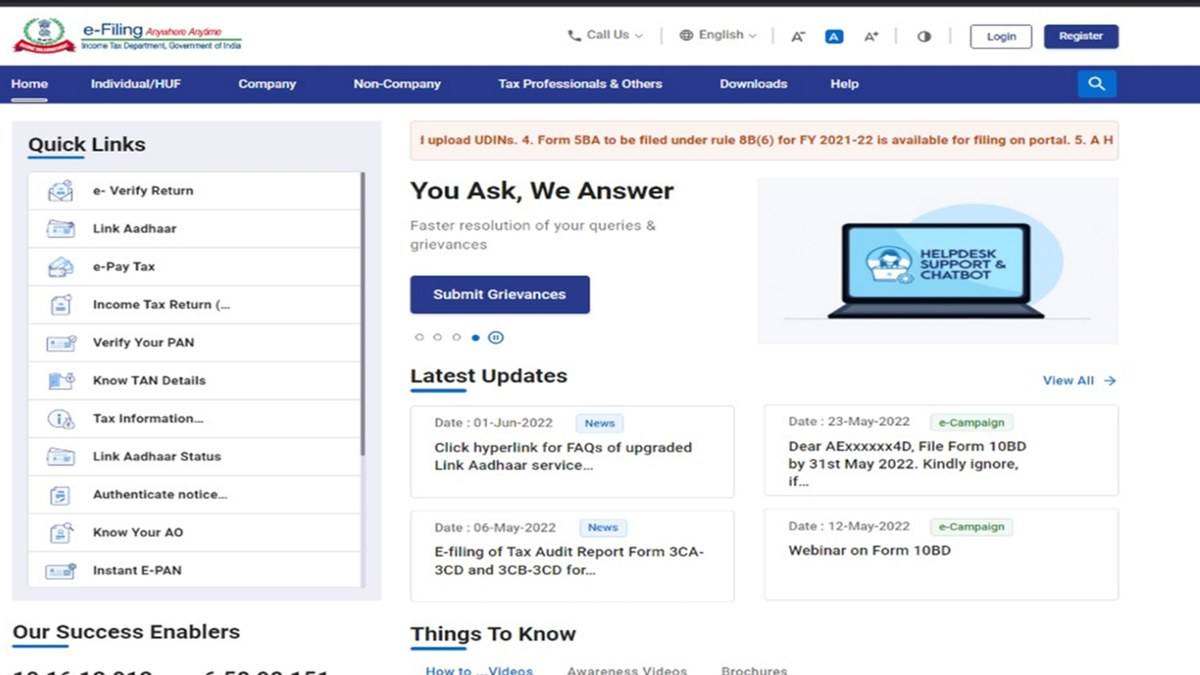
To check your income tax refund status online, sign in to the Income Tax Department's e-Filing portal, open e-File, select Income Tax Returns and then View Filed Returns. Choose the relevant assessment year and open View Details. The department's current refund manual uses this route to show both the refund status and the return's processing history.
A filed return does not by itself mean that money has been sent to your bank. The department says refund processing starts after the taxpayer e-verifies the return. Checking that stage first can explain why a refund you claimed has not yet reached the payment stage.
| What you need | What to check |
|---|---|
| e-Filing user ID and password | Sign in through the official portal |
| Correct assessment year | Open the matching filed return |
| Return verification | Confirm that e-verification is complete |
| Bank details | Check validation, name and IFSC |
How to check income tax refund status online
The official refund status manual gives the following sequence. These are instructions for taxpayers to use in their own accounts; no account access is needed to read the public manual.
- Open the Income Tax Department's e-Filing website and sign in with your user ID and password.
- Open e-File, then Income Tax Returns, then View Filed Returns.
- Locate the return for the assessment year you want to examine.
- Select View Details to read the refund status and the life cycle of that return.
- Read any associated intimation before deciding what action is required.
Pay attention to the assessment year rather than selecting the first row on screen. If you have filed returns for several years, the newest entry may not be the refund you are trying to trace. The separate ITR status manual says the filed returns screen also has filters for assessment year and filing type.
What issued, adjusted and failed refund statuses mean
The refund manual illustrates four outcomes: a refund issued, a refund partially adjusted, a refund fully adjusted and a refund failed. These are different processing outcomes. A full adjustment should not be read as a promise that the same amount will also arrive in your bank account.
If the portal shows an adjustment, read the related intimation and compare it with the amount claimed in your return. Keep those records together. A bank statement alone cannot explain a tax adjustment, while a return acknowledgement alone does not establish that a payment was successfully credited.
For a failed refund, the department identifies several possible causes: a bank account that has not been pre-validated, a mismatch between the account holder's name and PAN details, an invalid IFSC, or a closed account. Its manual also warns that a refund can fail when PAN is inoperative. Check the reason displayed for your case rather than assuming every delay has the same cause.
Can you check refund status without logging in?
The department provides a public ITR status facility using an acknowledgement number and a valid mobile number for an OTP. That service checks return status. The refund manual, however, directs users to sign in and open the filed return. The two services should not be treated as interchangeable merely because both concern the same return.
The ITR status user manual says the pre-login OTP has six digits, is valid for 15 minutes and allows three attempts. After successful validation, the user can view ITR status. Inside the account, View Details provides the return life cycle and any associated action items.
What to do if an income tax refund fails
The department has a separate Refund Reissue manual. Its prerequisites include a filed return with a refund failure, a validated bank account and access to an accepted verification method. A reissue request is therefore a procedure for an unsuccessful refund payment, rather than a shortcut for every return still being processed.
For an eligible request, sign in, open Services and choose Refund Reissue. Select Create Refund Reissue Request, choose the relevant record and continue. Select the validated bank account, proceed to verification and complete the available e-verification process. The manual says only validated account details appear for selection.
After successful verification, the portal displays a transaction ID. Retain it alongside the return acknowledgement and any failure message. The View Refund Reissue Request facility lets you check the request you submitted. An acknowledgement of a request should be kept separate from proof that the bank has received the money.
How long does an income tax refund take?
The refund manual, checked on 9 November 2026, says credit usually takes four to five weeks and advises checking for ITR discrepancies or departmental email if the refund has not arrived in that period. This is the department's general guidance, not a guaranteed payment date for every taxpayer.
For related tax records, read our AIS download and feedback guide. Our old and new tax regime explainer and deduction limits guide explain separate filing questions. None of those records substitutes for the refund outcome attached to your own filed return.