

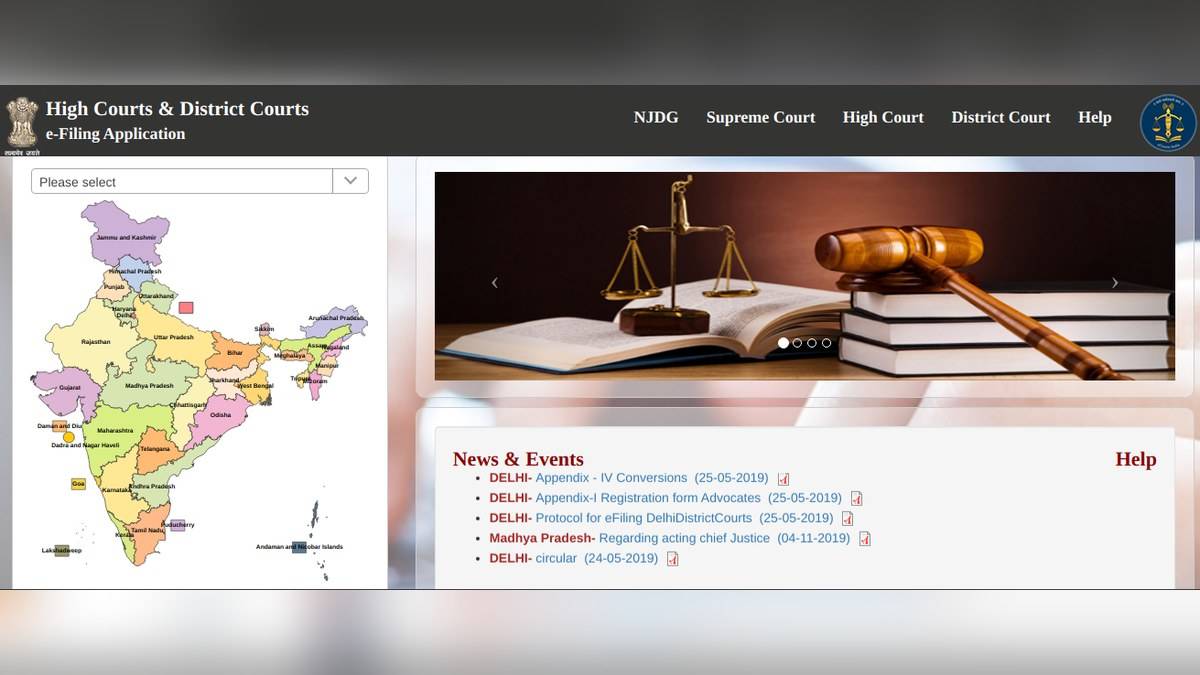
To register for court eFiling, open filing.ecourts.gov.in, choose the appropriate state and user role, and follow the new user registration process. Litigants provide personal, contact and place of litigation details, verify the mobile number by OTP and receive a unique code. Registration is followed by profile completion and, where applicable, court verification before a person can file independently.
The official eFiling Services portal supports electronic submission of legal papers. It is separate from simply looking up a case. The eCommittee of the Supreme Court says the facility applies to High Courts and District Courts that have adopted eFiling, so applicants should first confirm the correct filing route for the court concerned.
| Task | What to check |
|---|---|
| Registration | State, role, contact details and OTP |
| Profile | Required details and verified mobile number and email |
| Independent filing | Party in person profile and court verification requirements |
| Documents | Pleadings, supporting papers and authentication |
| Completion | Submission confirmation and subsequent court status |
eFiling eCourts registration for litigants
The eFiling Services 3.0 user manual distinguishes advocates from litigants. Advocates enter Bar registration and practice details. Litigants enter the state where the case needs to be filed, personal information, place of litigation, contact information and a password. The manual also provides for organisational litigants.
- Open the official portal and choose the new user registration link.
- Select the litigant role and the relevant state.
- Complete the personal or organisation details, place of litigation and contact fields.
- Set the password and generate the mobile OTP.
- Verify the OTP and retain the unique code shown after successful registration.
- Complete the required profile and contact verification steps after signing in.
The manual says other menus cannot be accessed until the profile is complete. A successful registration message therefore does not necessarily mean every filing function is ready. If the account stops at the profile page, check the outstanding verification fields before creating another account.
The current public portal also displays instructions for registration through Parichay or Meri Pehchaan. It says the state selected for that process should match the state on the eFiling login screen. It also says an existing eFiling login is used when an already registered user signs in through JanParichay. Follow the route actually displayed for your state.
Can a litigant file without an advocate?
The manual provides a party in person option in the litigant's profile. Selecting it brings additional document upload and oath recording steps. It describes uploading address and photo identity evidence, recording an oath and having the profile verified by the court. This is a separate process from filling an ordinary litigant profile.
Keep that distinction in mind when choosing a role. Someone represented by an advocate may use litigant functions for case details and authentication, while the advocate handles the filing. The manual identifies new case filing as a function for advocates and party in person litigants. Ask the court registry which profile and local requirements apply to your intended filing.
How to file a case after registration
The broad sequence is to complete the case information, prepare and upload the required pleadings, complete the applicable authentication and oath steps, pay the required court fee and submit. The portal advertises PDF uploads, electronic signing, online court fee payment and oath recording. The eCommittee's official eFiling explanation confirms the service covers electronic filing of civil and criminal papers in participating courts.
Choose the court and case details carefully before submission. An online form does not decide which court has jurisdiction or which legal remedy fits the dispute. Those questions must be resolved in preparing the case. The correct case type, party particulars, supporting papers and applicable court rules remain relevant when the papers are submitted electronically.
There is no single fee figure suitable for every case in this guide. The portal integrates payment facilities, while the required fee depends on the filing and applicable rules. Keep the payment reference and receipt, and check that the payment is associated with the intended filing before submitting.
Draft pleadings, completed submissions and objections
The manual gives a practical distinction between Draft Pleadings and Completed Pleadings. The draft area shows uploaded documents and payment information and allows submission when the formalities are complete. A successful submission produces an eFiling number and moves the entry out of that submission list.
The completed area records submitted pleadings and their status. The manual says court objections to a submitted case, pleading or application are reported in the Objections section. Check that area after submission and respond through the applicable process. A saved draft, payment receipt or eFiling number should not be mistaken for a decision on the merits of the case.
Where to get official eFiling help
The manual points to tutorial videos, FAQs and a user manual in the Help section. Use these alongside the court registry's directions, particularly where the screen differs from an older screenshot. Filing deadlines depend on the proceeding; this portal guide does not extend them. The public pages reviewed do not provide one universal citizen helpline for every participating court.
For the next stage, read our guide to Court: State vs A Nobody OTT platform, cast and Hindi audio. People needing representation can check eCourts case status: CNR, party name and case number searches. Consumer disputes have a separate route explained in our Free legal aid eligibility in India: who qualifies and how to apply.