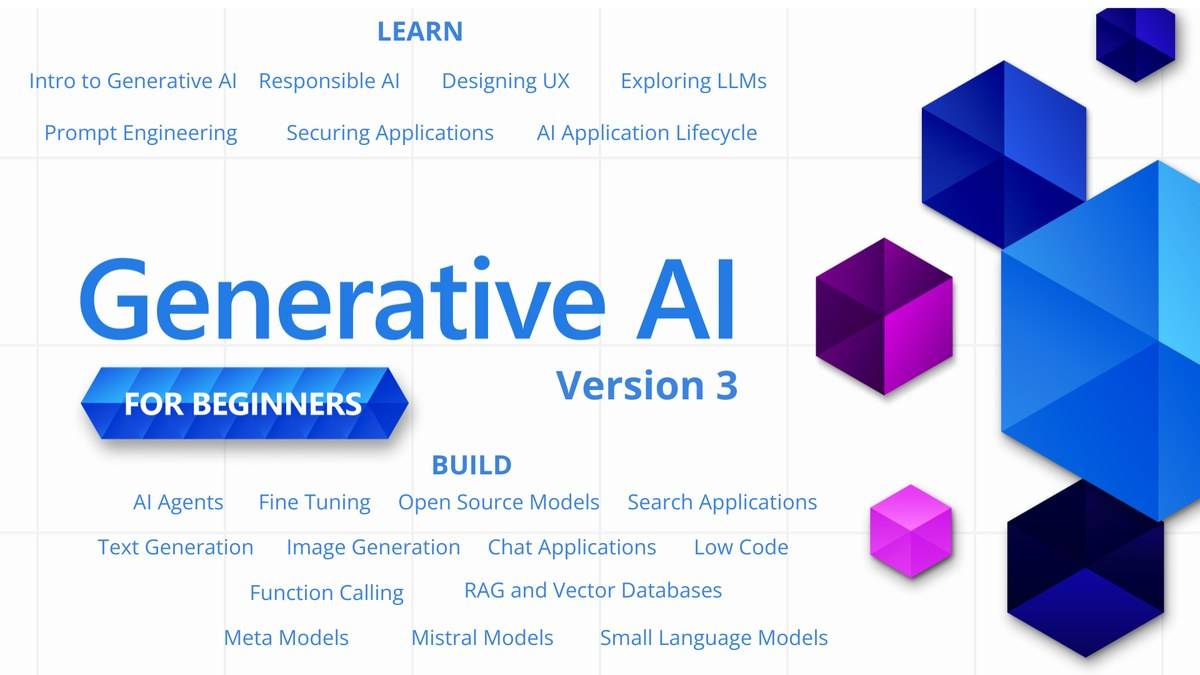
Microsoft's Generative AI for Beginners is a publicly available course for learning how to build generative AI applications. Its overview describes a 21 lesson curriculum, with explanatory lessons and coding examples. You can read the material without paying a course enrolment fee. Running examples can involve separate services and account requirements. The overview and setup pages checked do not promise a completion certificate or a fixed number of study hours.
| Question | What the official pages establish |
|---|---|
| Who created it? | Microsoft Cloud Advocates |
| Course structure | 21 lessons, plus an introductory setup entry |
| Programming languages | Python and TypeScript examples where possible |
| Study duration | No total hour estimate stated on the checked overview and setup pages |
| Certificate | No completion certificate promised on those pages |
These details were checked on 9 November 2026 at 23:15 IST. The official Microsoft repository calls the curriculum Version 3. Because it is maintained as a repository, readers should use its current instructions rather than assume that an old video or copied setup guide still matches the code.
Is Microsoft Generative AI for Beginners free?
The reading material is public, and the repository carries an MIT licence. That licence permits use and modification subject to its conditions, including retaining the copyright and permission notice. Access to the material and the cost of executing a cloud example are separate questions. A free curriculum does not establish that every connected service is free.
The setup guide lists the accounts and credentials needed for coding work. Its Azure OpenAI route requires an Azure subscription and an API key. Before executing a notebook, check the chosen provider's current access terms and billing controls. This article does not quote a universal running cost because the course offers different provider routes and does not give one course-wide charge.
For someone assessing the subject before committing to practical work, reading the written explanations is a useful first pass. The setup page explicitly says the coding lessons include README material where readers can inspect code and outputs without running them. That gives beginners a way to understand the intended exercise before dealing with credentials or a development environment.
What do the 21 lessons cover?
The course overview separates lessons labelled Learn from those labelled Build. Learn entries explain concepts; Build entries connect an idea to example applications. The opening topics cover generative AI and large language models, model selection, responsible use and prompt engineering. Later work includes text generation, chat applications and search.
The range extends beyond writing a better chatbot question. The lesson list includes function calling, user experience, application security, the application lifecycle, retrieval augmented generation, agents and fine tuning. This makes it a development curriculum. A reader who only wants help drafting everyday messages may need a smaller starting point than someone preparing to build an application.
Basic Python or TypeScript knowledge is described as helpful. Our suggested reading order for an absolute beginner is to start with the introductory concepts and responsible use, then inspect a simple text example. That is an editorial study suggestion, not an official prerequisite sequence. The overview itself allows learners to start with the topic they need.
The lesson table also marks some video introductions as coming soon. Check the written material available for the topic instead of assuming that every listed lesson already has a complete video counterpart.
Does the course give a certificate or take a fixed time?
Search suggestions include questions about certification, but the checked overview and setup guide do not advertise a course completion certificate. They also do not publish a total duration. A lesson count cannot be converted into a reliable hour estimate: reading an explanation and debugging a programming exercise involve different amounts of work.
If a college, employer or application requires a recognised credential, ask what evidence it accepts before relying on this curriculum. Do not describe repository reading as a Microsoft certification examination. A practical project can demonstrate what you attempted, but its value and acceptance depend on the person reviewing it; the course page makes no placement or employment promise.
How should a beginner approach the setup?
The official setup guide describes creating a personal repository copy, choosing a development route and configuring the appropriate provider credentials. Read that guide alongside the specific lesson. Keep credentials out of shared notebooks and screenshots. The guide points readers to secrets management for its hosted development route.
For background alongside the curriculum, read our explanation of Office 2021 support deadline: India prices and free alternatives, our guide to Surface Laptop Ultra price: $2,599.99 in US, £2,599 in UK, available from 16 October; no India listing yet, and our account of Microsoft Surface Laptop Ultra with NVIDIA RTX Spark opens for pre-order at USD 2,599, no India price yet. These concepts help explain why a functioning example still needs careful evaluation before anyone depends on its answers.