
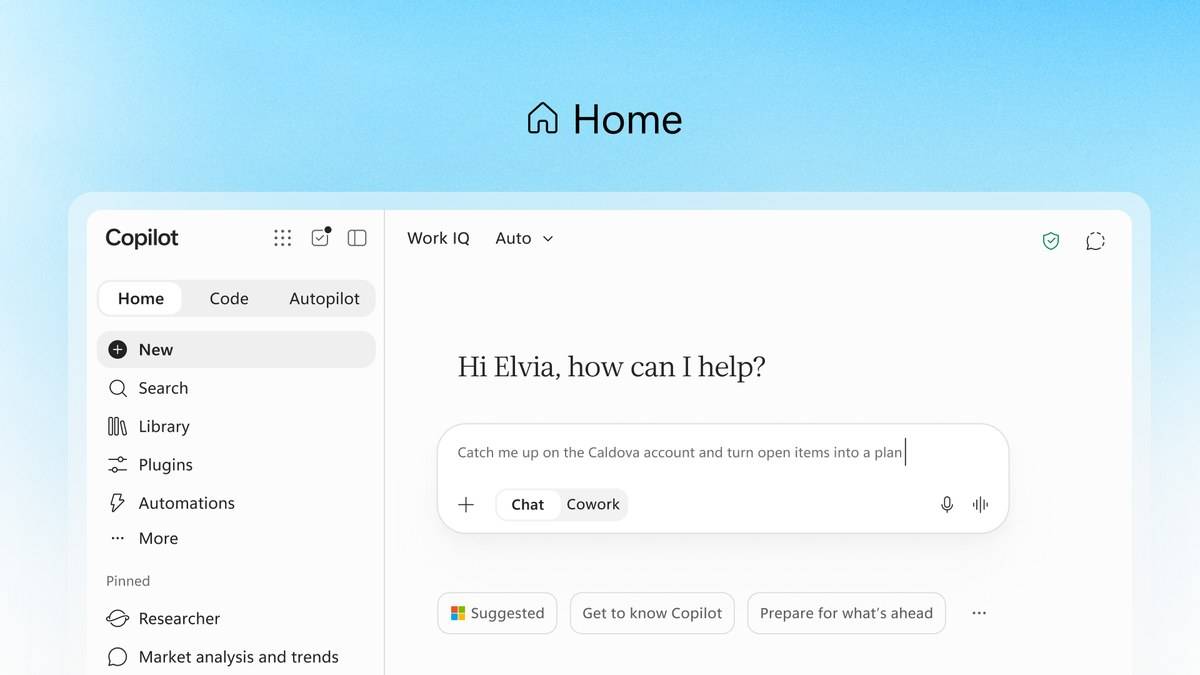
To use Copilot for interview preparation, open a chat, provide the job description and a factual summary of your experience, then ask for questions one at a time. Answer each question yourself before requesting feedback. This gives you a rehearsal you can inspect and revise, rather than a script full of achievements you never claimed.
Microsoft's Copilot Chat help page explains how to start a conversation, supply context and refine a response. Its human resources scenario also demonstrates generating interview questions from a resume and job description. The workflow below adapts those documented capabilities for a candidate preparing for an interview in India.
| Prepare this | Use it for |
|---|---|
| Actual job description | Questions tied to the advertised responsibilities |
| Short experience summary | Examples that match your real work or projects |
| Your own spoken answers | Feedback on detail, structure and missing evidence |
| Checked practice notes | A final rehearsal without invented facts |
How to start Copilot interview preparation
Step 1: Open Copilot in your browser and choose Chat. Microsoft's help page says its Home experience is still rolling out, so the screen may differ between accounts. Use the conversation area for this exercise. You do not need to build an agent or hand over a longer task to follow the prompts below.
Check which account you are using. The help page distinguishes personal content from organizational content, and says personal accounts do not have the Work IQ control described for work accounts. Do not assume Copilot can see your resume merely because you have it saved somewhere. For a straightforward rehearsal, put the relevant, nonconfidential details directly into your message.
Step 2: Prepare a small evidence sheet. List the role, the employer's advertised requirements and examples you can explain honestly. A fresher might use a college project, internship or volunteering responsibility. Someone changing jobs might use a delivery deadline, a customer problem or a team disagreement. Remove details that are unnecessary for practice, including identity numbers and private client information.
Copilot prompts for interview preparation
The following are original practice prompts. Replace the bracketed sections with your own information. They follow Microsoft's advice to give a clear goal, relevant context, specific instructions and the input the response should use. Their purpose is to guide rehearsal; a generated response still needs your judgement.
Step 3, map the role: “I am preparing for a [role] interview. Here is the job description: [text]. Here is my experience summary: [text]. Make a table matching each advertised requirement to evidence I supplied. Where evidence is missing, write ‘ask me for an example’. Do not add skills or achievements.”
This first prompt helps you spot gaps before practising answers. If the role asks for handling customer complaints and your summary contains only reporting tasks, supply a genuine customer example or acknowledge the gap. Do not let polished wording conceal missing experience.
Step 4, rehearse: “Using this job description, act as a practice interviewer. Ask one question, wait for my answer, then ask one follow up about my contribution. Start with an introductory question. Do not write my answer for me.”
Say the answer aloud before typing a summary. The exercise is more useful when you can explain the example without reading. If you are preparing for an English interview but think more comfortably in Hindi, ask for a simple explanation of the question in Hindi, then rehearse your answer in the interview language.
Step 5, check structure: “Review my answer below under Situation, Task, Action, Result and Reflection. Identify which parts I actually included. Ask questions where information is missing. Keep my individual contribution separate from the team's contribution: [answer].”
Microsoft's official interview tips recommend the STAR(R) structure, including reflection. Use those labels to organise what happened, what you did and what you learned. If you did not measure a result, describe the outcome accurately instead of inventing a percentage.
Step 6, challenge unsupported wording: “Inspect this revised answer against my original notes. List any unsupported number, qualification, responsibility or outcome. Suggest questions I should answer before keeping those claims: [notes and revised answer].”
Step 7, prepare your questions: “Based only on this job description, suggest questions I can ask about the team's priorities, expectations and training. Explain which line of the description each question relates to. Do not assume the employer offers benefits or arrangements that are not stated.”
How to check Copilot's interview feedback
Step 8: Compare the rehearsal notes with your evidence sheet. Check names, project dates, responsibilities and results yourself. Microsoft's help page warns that Copilot can get things wrong. Its interview question scenario demonstrates a preparation task, rather than a prediction of what a particular employer will ask.
Keep a final page of short reminders: the question, your chosen example, your action and the outcome. Practise explaining them naturally. An answer you can defend under follow up questions is more useful than an impressive paragraph you cannot substantiate.
For related preparation, see our guides to Office 2021 support deadline: India prices and free alternatives, Surface Laptop Ultra price: $2,599.99 in US, £2,599 in UK, available from 16 October; no India listing yet and Microsoft Surface Laptop Ultra with NVIDIA RTX Spark opens for pre-order at USD 2,599, no India price yet.